
Optimising AI Costs: When to Use GPT‑5.2‑Instant vs GPT‑5.2‑Thinking
nnnnnnnnnn
Introduction: Why GPT‑5.2‑Instant vs GPT‑5.2‑Thinking choice matters
nnnnn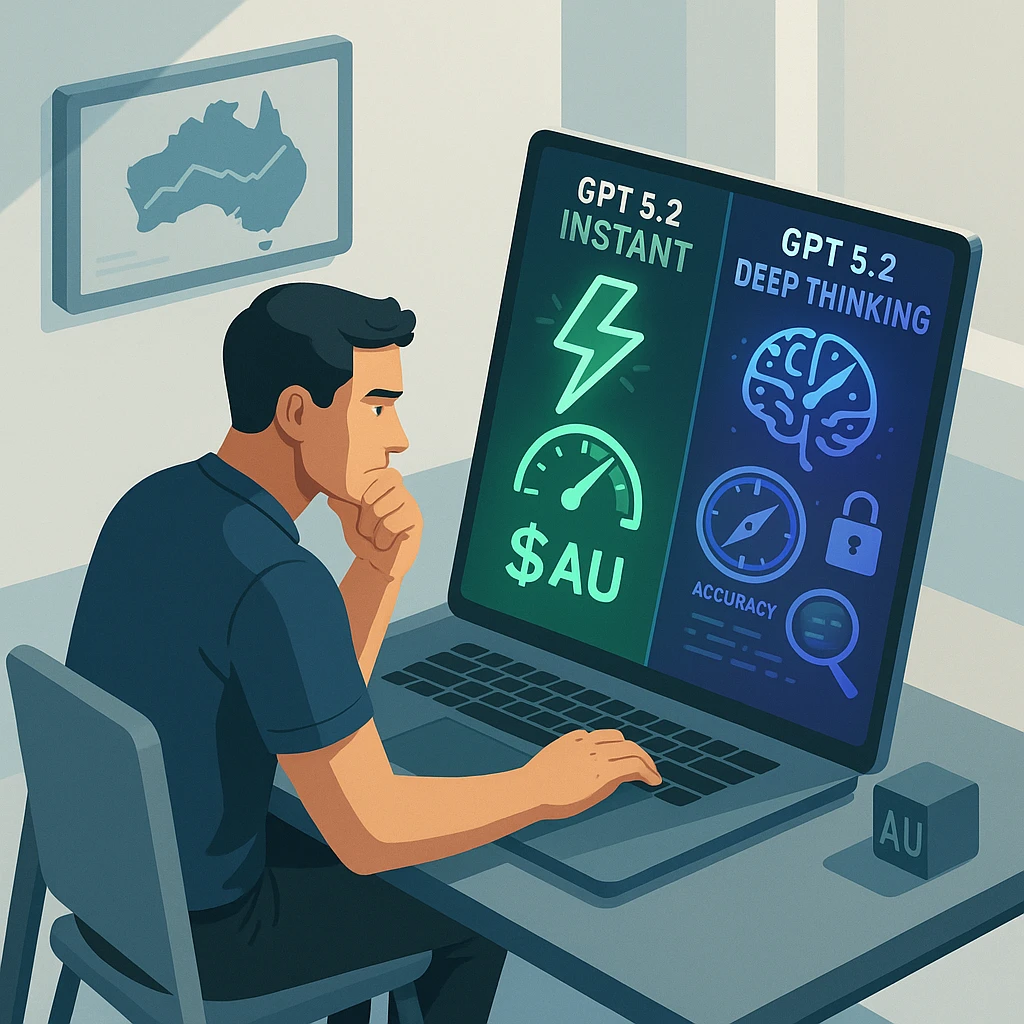
n If you run a small or mid‑sized business in Australia, you’ve probably heard the pitch: plug in AI, save time, grow faster. But once you hit “go” on real workloads, a harder question lands on your desk—when should you use GPT‑5.2‑Instant vs GPT‑5.2‑Thinking, and how do you stop costs from quietly exploding in the background?n
nnnnn The difference between these two tiers is not just “fast vs smart.” It’s a set of trade‑offs between latency, quality, risk, and money. Use Thinking everywhere and you may end up paying premium consulting rates for AI that is over‑thinking simple jobs. Use Instant everywhere and you’ll eventually ship a dodgy GST email or a Fair Work misinterpretation that comes back to bite you.n
nnnnn This guide gives you a concrete, AU‑focused framework for model selection and cost optimisation. We’ll map common workflows—support, finance, HR, marketing—to GPT‑5.2‑Instant, GPT‑5.2‑Thinking, and smaller or cheaper models. We’ll show how to model costs in tokens and dollars, where latency really matters, and how to design routing rules that your devs (or even just your ops team) can implement without needing a PhD in AI.n
nnnnn Our goal is simple: help you treat Instant as your clever everyday assistant and Thinking as a specialist consultant, and use both in a way that actually makes financial sense for an Australian SMB. According to independent GPT‑5.2 benchmarks, choosing the right mode can materially change both cost and output quality for these workflows.n
nnnnnnnCore roles of GPT‑5.2‑Instant vs GPT‑5.2‑Thinking for AU SMB workloads
nnnnn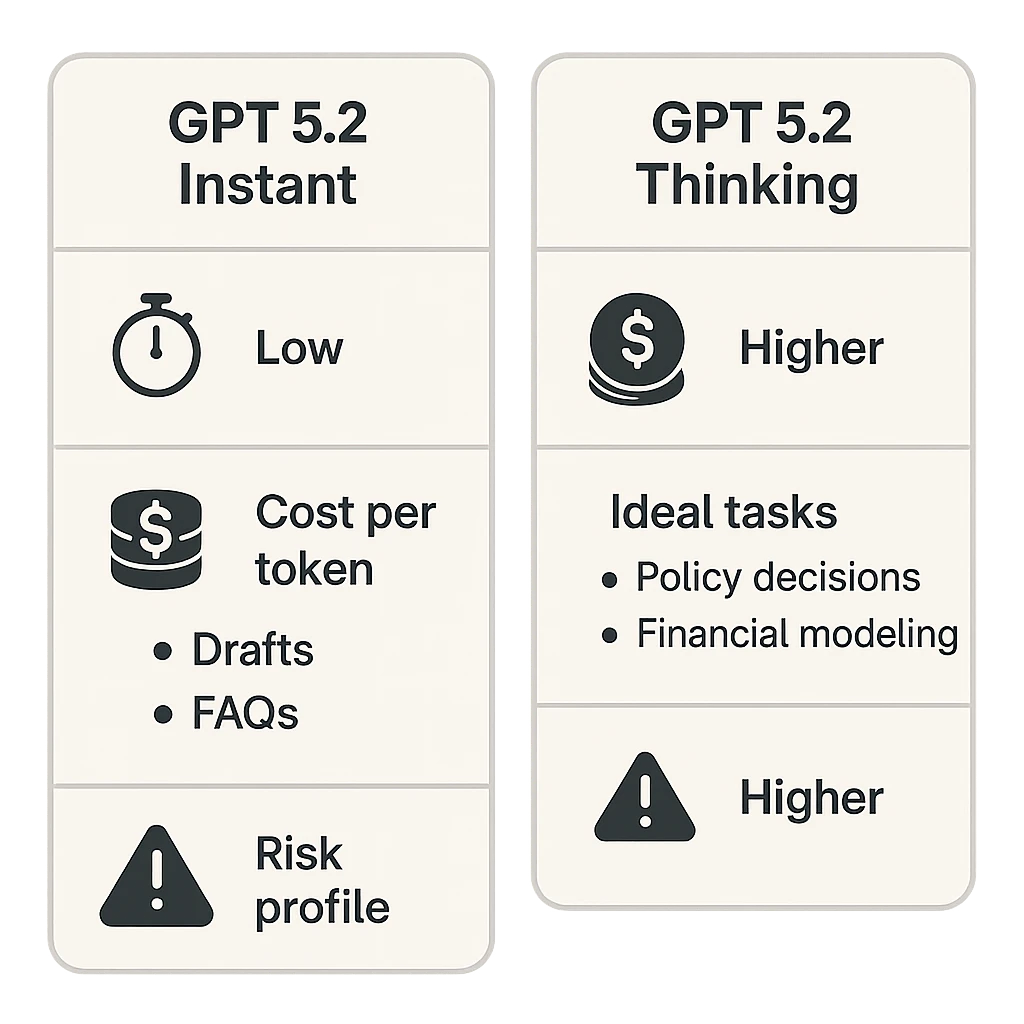
n Let’s start with clear roles. GPT‑5.2‑Instant is your low‑latency “daily driver” model. It responds fast—often in under two seconds—and is ideal for high‑volume, low‑risk work: drafts, summaries, translations, FAQs, simple data clean‑ups. It’s priced to be used a lot, and the occasional minor error is usually acceptable for these tasks.n
nnnnn GPT‑5.2‑Thinking, by contrast, is built for deeper, multi‑step reasoning. It can work across very long contexts, consider multiple documents, and follow complex chains of logic. It shines on things like financial modelling, legal‑style policy checks, complex coding, and multi‑file contract or code reviews. But it will be slower and more expensive per useful answer, especially once you factor in extra “thinking” tokens—with testing showing clear trade‑offs between accuracy and speed.n
nnnnn In practice, AU SMBs should treat Instant like a bright junior staffer who can move quickly through large queues of simple tasks, and Thinking like a senior specialist you call in when you really need to be right. The research backs this: deeper reasoning tiers significantly outperform on hard benchmarks such as ARC‑AGI‑2 and GPQA Diamond, but they also burn more compute and incur higher per‑request costs thanks to long context and chain‑of‑thought steps, as highlighted in GPT‑5.1 model analyses.n
nnnnn There’s also a third tier to remember: smaller or “mini” models. These can cost around a fifth of flagship models per million tokens and are ideal for commoditised, templated, or very high‑volume tasks where you only need “good enough” answers and strong guardrails. Think simple order‑status FAQs, basic template filling, or routing tickets by topic.n
nnnnn Once you accept that each tier has a distinct role, the problem shifts from “which model is best?” to “how do I assign the right model to each step of my workflow?” That’s where a simple but structured framework helps, especially when combined with prompt‑design best practices tailored to Instant vs Thinking behaviour.n
nnnnnnnThree‑axis model‑selection framework: risk, complexity, volume & latency
nnnnn Randomly picking Instant or Thinking per request is a fast path to chaos. Instead, you can score each task along three axes: impact/risk of error, cognitive complexity, and volume plus latency sensitivity. This turns model choice from guesswork into a repeatable policy and underpins many production‑grade AI implementation services.n
nnnnn 1. Impact / risk of error asks: what happens if the AI is wrong? Low risk might be an internal marketing brainstorm or a first draft of a social post. Medium risk could be a customer‑facing email that still goes through human review. High risk covers anything that touches legal rights, financial commitments, HR decisions, or regulatory statements—think advice under Australian Consumer Law, privacy wording under the APPs, or interpretations of Fair Work awards.n
nnnnn 2. Complexity looks at how hard the actual thinking is. Simple Q&A based on a short snippet, or transforming text between formats, is low complexity. Multi‑document synthesis (for example, comparing a contract, a policy, and an email trail), advanced analytics, or production‑grade code generation count as high complexity. Long context also belongs here: if you’re passing 50 pages of material in one go, you’re in higher‑complexity territory, almost by definition.n
nnnnn 3. Volume & latency sensitivity asks two related questions: how many times per month does this task run, and how quickly do you need an answer? A 10,000‑tickets‑per‑month support queue is very different from a monthly board report. Real‑time chat and in‑call assistance need sub‑second to two‑second responses, while background analytics can take 30–60 seconds if the answer is materially better.n
nnnnn Once you give each workflow step a simple Low/Medium/High score on these axes, patterns appear. Low‑risk, low‑complexity, high‑volume tasks are natural candidates for Instant or even mini models. High‑risk, high‑complexity, low‑volume tasks are where Thinking earns its keep. The interesting middle ground—medium risk or complexity at moderate volumes—is where hybrid Instant→Thinking patterns shine, a routing strategy that aligns closely with emerging guidance on Thinking vs Instant model usage.n
nnnnnnnRouting patterns: Instant vs Thinking vs smaller/cheaper models
nnnnn With the three‑axis framework in hand, you can design routing rules instead of one‑off decisions. Think of a simple matrix: rows for risk, columns for complexity, and cells that point to a default model tier. But we can go a step further with three reusable patterns: guardrail, escalation, and batch thinking, which are increasingly common in AI‑powered IT support for Australian SMBs.n
nnnnn In the guardrail pattern, a cheaper or Instant model drafts responses while a Thinking model plays the reviewer. For example, your e‑commerce support bot could use a mini model to draft answers to product questions, then periodically have Thinking batch‑scan those answers for risky promises (e.g., warranties, “guaranteed delivery by Christmas,” refunds) that might breach ACCC guidance. If the checker flags something, it auto‑corrects or routes the case to a human. This pattern lets you keep speed and low cost on the front line while quietly running a smarter safety net in the back.n
nnnnn The escalation pattern starts with Instant (or mini) for everything and only escalates to Thinking when needed. Signals might include low confidence from the model, detection of sensitive topics like “unfair dismissal,” “BAS,” or “ASIC complaint,” or the presence of high‑value customers. This is perfect for contact centres, HR helpdesks, or bookkeeping workflows, where 80–90% of queries are routine and 10–20% genuinely need senior attention.n
nnnnn The batch thinking pattern runs day‑to‑day work on Instant or mini but sends batched outputs to Thinking for deeper, offline analysis. For instance, a retailer might let Instant handle all live chats, then once a day feed the transcripts into a Thinking‑tier analysis job to surface systemic product issues or potential misleading claims. Similarly, a bookkeeping firm could run invoice coding on Instant and run a nightly Thinking job to detect anomalies in GST treatment.n
nnnnn Across all patterns, smaller/cheaper models sit at the base: answering simple FAQs with hard‑coded guardrails, doing intent classification, or tagging sentiment cheaply. Instant then covers the flexible, low‑to‑medium risk work, while Thinking handles escalations, deep checks, and strategic analysis. This three‑tier stack is where most AU SMBs will find a sane balance of speed, safety, and cost, especially when supported by a specialist AI implementation partner.n
nnnnnnnReal‑world cost optimisation: direct, indirect, and risk costs
nnnnn Token prices are only the surface of AI cost. For GPT‑5‑class models, you might see headline figures like roughly US$1.25 per million input tokens and US$10 per million output tokens, while “mini” variants sit closer to US$0.25 and US$2 respectively. On paper, Thinking and Instant may even share similar per‑token prices. But that hides two big realities: Thinking burns more output and reasoning tokens per task, and long context amplifies both input and output spend.n
nnnnn Complex or agent‑style tasks often produce 2–10 times more output than input tokens, and where multi‑step reasoning is involved, total tokens per task can climb 10–50×. If your mental model is “one prompt in, one answer out,” you’ll under‑budget badly. Add retrieval‑augmented generation (RAG) with large document chunks, repeated safety prompts, and conversation history, and per‑request token counts can jump from 1–2k to 8–12k in production. That’s a 4–6× cost multiplier before you even think about model tier.n
nnnnn Then there are indirect costs: staff time spent checking or fixing AI output. If a junior support agent spends five minutes cleaning up every Instant‑generated email, your total cost per ticket includes their wage. In Australia, where labour costs are high, a slight increase in Thinking spend that cuts human rework can actually be a net win. Framed differently: if an extra $0.20 of Thinking tokens saves five minutes of a $45/hour employee, you’re ahead.n
nnnnn Finally, risk costs cover the legal, financial, and reputational fallout of serious errors. Misstated Fair Work obligations, incorrect GST advice, or misleading promises under Australian Consumer Law can all lead to complaints, repayments, or worse. For workflows where such risks exist, you should treat the cost of avoiding a single major error as the budget for Thinking‑tier checks plus human review, ideally within a secure, privacy‑aware AI implementation.n
nnnnn Mature AI users look at all three dimensions—direct token spend, indirect labour and infra, and risk—when deciding where Thinking is justified and where Instant or mini is more than enough. This is also where scenario‑based cost calculators (e.g., comparing all‑Instant vs hybrid vs all‑Thinking at 10k support tickets/month) become surprisingly useful decision tools, echoing the optimisation strategies seen in GPT‑5.1 Instant vs Thinking analyses.n
nnnnnnnLatency, customer experience, and when “slow but smart” is acceptable
nnnnn Speed is not just a nice‑to‑have; it shapes customer perception. GPT‑5‑class Instant models are benchmarked at roughly 65+ tokens per second, which usually means sub‑second to around two seconds for typical prompts. That feels snappy in a live chat or as an assistant inside internal tools. Thinking, however, may take “several more seconds” to deliver answers on hard tasks, and for deep analyses or long contexts, you can be looking at tens of seconds or more.n
nnnnn For front‑line customer interactions—web chat, phone support, real‑time agent assist—your default should almost always be Instant or a mini model. People notice delays above a couple of seconds, and if every answer from your support bot takes 20 seconds to appear, satisfaction will tank. A practical pattern here is to let Instant answer in real time, while Thinking runs quietly in the background to produce summaries, recommend next‑best actions for agents, or audit a subset of interactions.n
nnnnn On the other hand, for background or batch jobs, customers and staff are happy to wait if the output quality is clearly higher. Monthly board packs that combine financials, narrative commentary, and risk analysis? End‑of‑day reconciliations? A 50‑page contract comparison? These can all be queued and processed with Thinking, with UX patterns like “we’ll email your report when it’s ready” or dashboards that show a progress spinner but don’t block other work.n
nnnnn Deployment choices also matter. Cloud APIs add network variability but are easy to scale. On‑prem or region‑local hosting (for example, in an AU region with quantised models) can slash latency by 40% or more, which is compelling for industrial or in‑store use cases where real‑time responses are non‑negotiable. Concurrency and batching introduce their own trade‑offs: higher concurrency improves throughput but can hurt tail latency (your slowest 5–10% of requests), which is what real users feel.n
nnnnn The bottom line: tie your model choice to explicit latency budgets. For anything user‑facing with tight SLAs, cap yourself at Instant or mini, with optional background Thinking. For back‑office or analytical work, give Thinking room to take its time—because here, correctness and depth beat speed, especially if you’re orchestrating a multi‑agent AI assistant that coordinates several tools or models.n
nnnnnnnPractical tips and a simple workflow checklist for AU SMBs
nnnnn Turning all of this into action doesn’t need to be complex. You can start with a lightweight checklist per workflow and evolve towards more automated routing as you learn. Think of it as building a house: start with the framing, not the fancy cabinetry, and lean on existing GPT‑5 migration guides where relevant.n
nnnnn For each task or workflow step (support ticket, invoice, HR query, marketing brief), run through these five questions:n
nnnn- n
- What’s the impact if this is wrong? Categorise as low, medium, or high based on legal, financial, and reputational stakes in the Australian context. nnnn
- How complex is the thinking? Short Q&A vs multi‑document reasoning, large spreadsheets, or policy/code analysis. nnnn
- How many times per month does it run? Under 100, 100–10,000, or above 10,000. nnnn
- Do we need an answer in under 2 seconds? If yes, Thinking is off the table for the real‑time part. nnnn
- Is there a natural human reviewer? If yes, you can often pair Instant with human review, reserving Thinking for checks on the highest‑risk slices. n
n Then apply simple rules:n
nnnn- n
- Low risk + low/medium complexity + medium/high volume: default to Instant or a mini model. nnnn
- High risk + high complexity + low/medium volume: use Thinking, plus human review where legally or commercially necessary. nnnn
- Medium risk/complexity: adopt a hybrid pattern. Start on Instant, escalate 10–20% of cases to Thinking based on triggers (keywords, low confidence, customer value). n
n From there, you can gradually add sophistication:n
nnnn- n
- Implement simple if‑then rules in your prompts or code (for example, “if this refers to contract terms, behave as a checker and escalate”). nnnn
- Introduce caching for repetitive queries—especially FAQs and common support macros—to save 20–50% of token spend in some workloads. nnnn
- Monitor a small set of metrics: P50/P95 latency, tokens per request, and human rework time. Use those to refine how much traffic goes to Thinking. n
n Over 3–9 months, many organisations see 3–8× cost improvements simply by doing three things well: stricter context control, smart model routing, and pushing as much volume as possible to smaller or Instant‑tier models while keeping Thinking for the truly thorny problems—an approach that mirrors the “right mode for the right job” guidance in GPT‑5.1 Instant vs Thinking usage for coding, content, and data work.n
nnnnnnnConclusion & next steps: design your own Instant vs Thinking playbook
nnnnn Choosing between GPT‑5.2‑Instant and GPT‑5.2‑Thinking is not about picking a winner. It’s about building a playbook that sends the right work to the right model at the right time. For Australian SMBs, that means pairing low‑latency Instant (and smaller models) with higher‑precision Thinking inside a three‑tier stack, guided by clear rules around risk, complexity, volume, and latency, and delivered through a secure Australian AI assistant that fits your compliance needs.n
nnnnn If you do nothing else, start by mapping your top five workflows with the three‑axis framework, then define one hybrid pattern—such as Instant for all support tickets with 10–20% escalated to Thinking based on keywords and confidence. Track costs, latency, and error rates for a month, then adjust. Small, data‑backed tweaks compound quickly, especially when your team understands the fundamentals via resources like AI training for educators and operators.n
nnnnn Ready to turn this into a concrete roadmap for your business? Document your workflows, outline your risk thresholds, and work with your product or engineering team to encode routing rules. The businesses that win with AI over the next few years won’t be the ones using the “biggest” model; they’ll be the ones that treat model selection and cost optimisation as a core operating skill—and that design assistants, automations, and even domain‑specific transcription workflows around those principles.n
nnnnnnnnn