
Temperature GPT‑5.2: How to Tune Randomness for Enterprise‑Grade AI in Australia
Table of Contents
- Introduction: Why Temperature in GPT‑5.2 Matters
- 1. Temperature in LLMs: The Core Basics and Definitions
- 2. GPT‑5.2 vs Gemini: Temperature, Top‑p, and Model Behaviour
- 3. Creativity vs Accuracy: The Temperature Trade‑off in GPT‑5.2 and Gemini
- 4. An Enterprise Temperature Playbook for AU Organisations
- 5. Governance, Drift, and Compliance at Different Temperatures
- 6. Practical Tuning Tips for GPT‑5.2 and Gemini Temperature
- Conclusion: Making Temperature Work for Your AI Strategy
Introduction: Why Temperature in GPT‑5.2 Matters
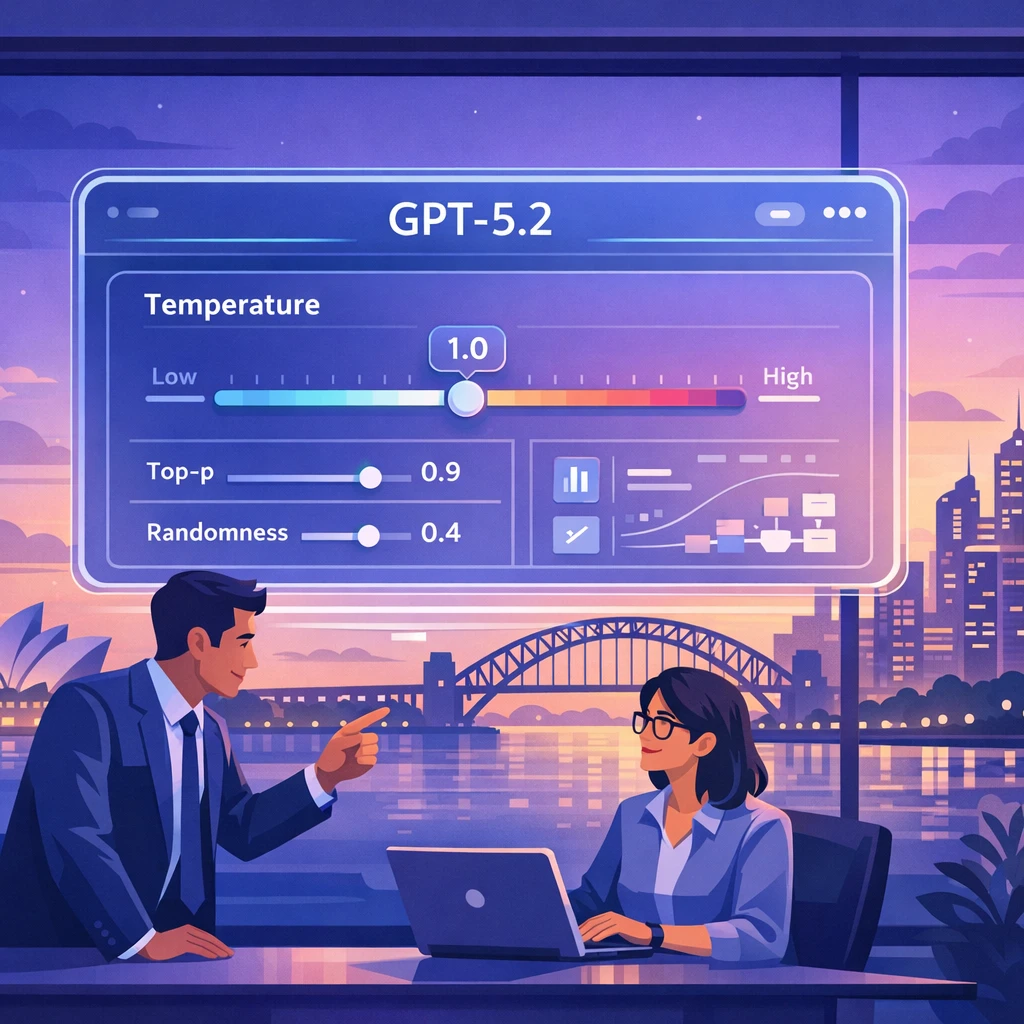
If you’ve ever asked GPT‑style models the same question twice and received two slightly different answers, you’ve already met the idea behind temperature in GPT‑5.2. Temperature is the quiet dial in the background that controls how “creative” or “conservative” your AI feels. Get it wrong, and your Copilot starts improvising legal advice. Get it right, and you have a reliable digital teammate that knows when to stick to the script and when to explore new ideas.
For Australian organisations rolling out AI assistants, Copilots, or internal chatbots, this isn’t just a nice‑to‑know detail. Temperature directly shapes risk, reliability, and user trust. Low temperature makes answers steadier and easier to audit. High temperature opens the door to clever marketing copy, but also to hallucinations and off‑topic tangents. And with newer GPT reasoning models increasingly abstracting away—or even auto‑tuning—temperature under the hood, teams need a new playbook for how to manage randomness and safety.
In this guide, we’ll break down how temperature works in GPT‑5.2 and Gemini, what’s really going on under the hood, and how Australian enterprises can choose the right settings for legal, operational, and creative use cases. We’ll keep the language simple, but we won’t dumb down the ideas. By the end, you’ll know exactly when to turn the dial down to 0.1—and when cranking it up is actually the smart move.
https://platform.openai.com https://cloud.google.com/vertex-ai
1. Temperature in LLMs: The Core Basics and Definitions
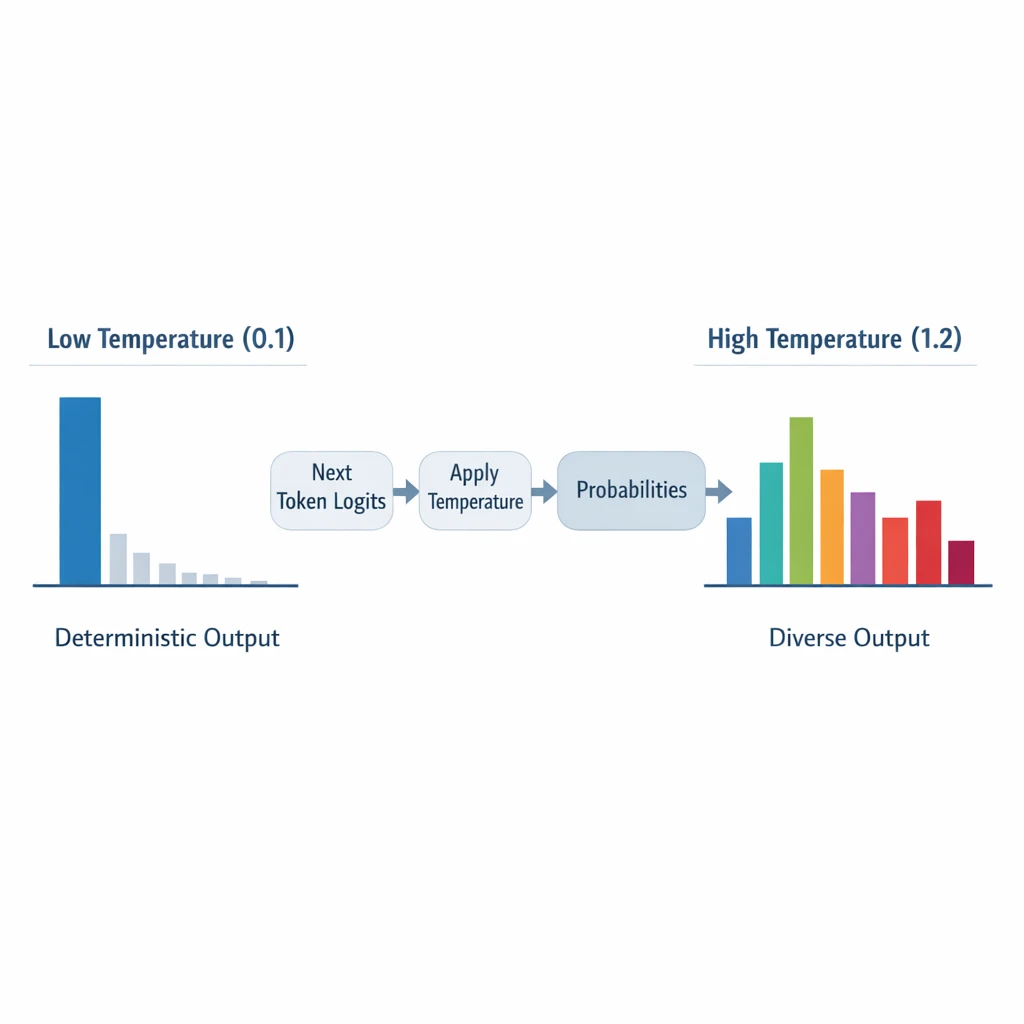
Under the hood, large language models work by predicting the next token (a small chunk of text) again and again. Each possible token gets a score, called a logit. Temperature is a numeric parameter, usually between 0 and 2, that rescales those logits before turning them into probabilities. In math form, it looks like this: p_i(T) = exp(z_i / T) / Σ_j exp(z_j / T).
You don’t need to follow the formula to use it. What matters is the effect. At a low temperature (around 0–0.3), the model’s probability distribution becomes “peaked”. It strongly favours the most likely next token, and almost ignores the rest. Output becomes:
-
More deterministic (you get nearly the same answer every time)
-
More conservative and sometimes repetitive
-
Better for accuracy, extraction, and compliance tasks
At a medium temperature (0.4–0.7), you get a balance. The model still leans towards likely tokens, but it lets through some variation. This is why medium temperature is a common default for general chat and summarisation—natural, but not chaotic.
With high temperature (0.7–1.0+), the distribution flattens. The model is more willing to pick low‑probability tokens. That’s where creativity comes from: surprising analogies, unusual phrasings, unexpected angles. It’s also where hallucinations, inconsistent wording, and off‑topic rambles live.
The key takeaway: changing temperature literally changes which tokens are sampled at each step. That’s why the same prompt can feel rock‑solid at T=0.1 and wildly imaginative (or unreliable) at T=0.9, a pattern described consistently in specialist explanations of LLM temperature.
https://platform.openai.com https://cloud.google.com/vertex-ai
2. GPT‑5.2 vs Gemini: Temperature, Top‑p, and Model Behaviour
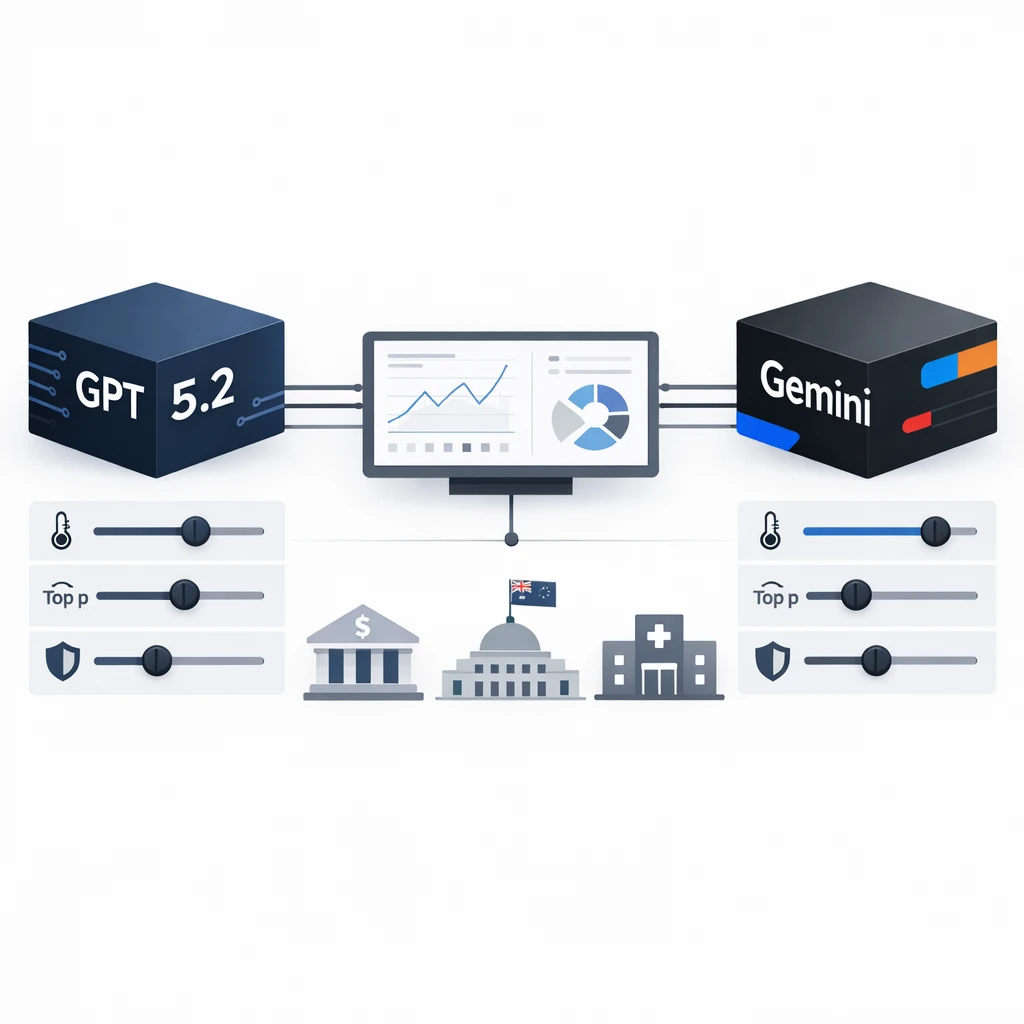
Not all models treat temperature the same way. With GPT‑3.5 and GPT‑4, developers were used to dialing temperature and top‑p (nucleus sampling) up and down however they liked. GPT‑5‑family reasoning models changed that dynamic. While you can still configure sampling, newer models such as GPT‑5, o3, and o4‑mini introduce stricter, model‑specific rules and recommended defaults. In practice, that means: you’re encouraged—and sometimes required—to stay close to those defaults, a trend that’s also been noted in analyses of why newer reasoning models expose fewer or more constrained temperature controls in the first place. such as recent commentary on GPT‑5 and o3.
GPT‑5.2 comes in two main variants: GPT‑5.2, the advanced reasoning model, and GPT‑5.2‑Chat, tuned for everyday work and learning. Unlike GPT‑5, where you can freely tweak generation controls, GPT‑5.2 reasoning is exposed more as a “managed” reasoning endpoint: temperature and top‑p are either not user‑configurable or are only available within a narrow, provider‑defined range, and the model is tuned for stable, safety‑aware outputs. Rather than relying on users to dial in randomness, the service is optimized to deliver consistent, high‑quality reasoning out of the box. Internally, it may use more advanced search, planning, or verification strategies than standard chat models, but those details are abstracted away—what you get as a developer is a more deterministic‑feeling, reliability‑first reasoning API rather than a fully open‑ended text generator. In other words, you don’t drive; you set the destination.
GPT‑5.2 chat is different. It may still expose temperature and top‑p like older chat models, but you need to check the SDK or portal. If those fields are missing or your calls fail when you set them, assume sampling is locked. When that happens, your main controls become:
-
Prompt and system instructions
-
Reasoning depth/effort style parameters (where available)
-
External guardrails and validation
Gemini models (Gemini 3 Pro, 3 Flash, 2.5 Pro) on Vertex AI and Google AI Studio go the other way. They expose temperature and top‑p directly, often with UI sliders and code snippets to help you tune them. Defaults vary a bit by model and by where you’re calling them from, but Gemini generally starts you off with a moderate temperature (often around 0.4–0.7 if you don’t touch the controls), and Google’s own guidance still nudges you toward lower temperature for precise, deterministic tasks and higher for open‑ended, creative ones—very much in line with the familiar OpenAI patterns., and aligned with official Vertex AI documentation on tuning parameter values.
The important bit for Australian teams: despite different brands and APIs, the underlying temperature mechanism is essentially the same across providers. What really varies is how much control you’re given for a specific model, especially for reasoning‑oriented variants. However, some experts argue that this generalization is starting to break down with the rise of reasoning‑style models like o1 and o3‑mini. These systems often ship with a effectively fixed temperature and expose no user‑tunable knob at all, which means teams can’t rely on the familiar “just lower T” playbook to tighten outputs. In practice, that suggests there are now at least two distinct interaction patterns in the wild: classic generative models where temperature behaves as expected across providers, and newer reasoning models where controllability is pushed into architecture and training rather than runtime parameters. For Aussie teams, it’s worth recognizing that not every provider—or even every model within a provider—implements temperature as a first‑class control, and strategies may need to diverge accordingly.
https://platform.openai.com https://cloud.google.com/vertex-ai https://learn.microsoft.com
3. Creativity vs Accuracy: The Temperature Trade‑off in GPT‑5.2 and Gemini
Temperature is not just an abstract number. It’s a direct trade‑off between creativity and accuracy. At low temperatures, models tend to follow the “most statistically likely” path. They echo the training data more faithfully, stick closer to clear patterns, and avoid risky guesses. That usually means:
-
Higher factual accuracy
-
Fewer hallucinations
-
More stable reasoning steps
At higher temperatures, especially above 0.8, the model starts exploring the long tail of possibilities. You get:
-
Richer idea diversity and more novel combinations
-
More colourful language and unexpected angles
-
But also more made‑up facts, contradictions, and drift from the prompt
At higher temperatures, the model is more exploratory: you get more surprising connections, more diverse phrasing, and, yes, more made‑up facts. Empirical work on GPT‑style models has shown that increasing temperature tends to boost measured “creativity” (for example, by raising diversity and novelty scores) while reducing factual accuracy compared with very low temperatures. In other words, cranking up the temperature shifts the model toward bolder, less predictable outputs at the cost of being less reliably correct—exactly the tradeoff you’d expect when you’re sampling more aggressively from the model’s probability distribution. The exact numbers differ by task, but the direction is always the same: higher temperature widens the space of possible answers, which naturally includes both more good ideas and more wrong ones, a pattern echoed in independent guides like Understanding Temperature, Top P, and Maximum Length in LLMs.
GPT‑5.2 and modern reasoning models do bring new tools to the table. They use internal self‑verification, reflection, and multi‑pass reasoning to catch some errors before they reach the user. Those mechanisms can soften the downside of higher temperature, but they don’t remove it. When you broaden the probability distribution by turning T up, you still increase the chance of low‑probability, low‑reliability tokens being chosen.
For Australian enterprises, this means you need to decide, per use case: “Do we care more about never being obviously wrong, or about surfacing as many new ideas as possible?” There’s no single right answer—only a temperature profile that matches the risk appetite of that workflow.
https://platform.openai.com https://cloud.google.com/vertex-ai
4. An Enterprise Temperature Playbook for AU Organisations
To make temperature useful in practice, you need a simple playbook. One that a product manager, risk lead, or architect can glance at and say, “Right, for this use case we start at T=0.15.” Here’s a structured way to do that for Australian organisations using GPT‑5.2‑class models and Gemini, whether you’re deploying an AI assistant for everyday tasks or building more specialised internal tools.
4.1 Segment Your Use Cases
Start by grouping your AI scenarios into three broad buckets:
-
Factual & regulated – HR policy Q&A, Fair Work and employment questions, ATO and tax summaries, insurance wording, health and safety content.
-
Operational & support – IT helpdesk bots, internal FAQs, how‑to guides for internal tools, standard operating procedures.
-
Creative & strategic – campaign ideation, messaging boards, product naming, workshop facilitation.
4.2 Recommended Starting Ranges
For chat‑style models such as GPT‑5.2 chat or Gemini Pro/Flash, good starting points are:
-
Factual / regulated:
-
GPT‑style (incl. likely GPT‑5.2 chat): temperature 0.0–0.2, top_p 0.7–0.9
-
Gemini Pro/Enterprise: temperature 0.1–0.3, top_p 0.7–0.9
-
-
Operational assistants:
-
GPT‑style: temperature 0.2–0.5, top_p 0.8–1.0
-
Gemini: temperature 0.3–0.6, top_p 0.8–1.0
-
-
Creative tools:
-
GPT‑style: temperature 0.7–1.1, top_p 0.9–1.0
-
Gemini: temperature 0.8–1.2, top_p 0.9–1.0
-
For chat‑style models such as GPT‑5.2 Chat or Gemini Pro/Flash, good starting points are to keep temperature low for reliability-focused use cases and higher for brainstorming or creative work. For GPT‑5.2 Reasoning, temperature is typically fixed or less exposed as a tuning knob, so you should think of the model itself as the “low‑randomness option” in your stack. Use it primarily for high‑stakes or complex flows where you care more about rigorous reasoning and consistency than about sampling lots of diverse alternatives. For example, your internal policy bot might use GPT‑5.2 reasoning, while a marketing ideation tool uses a tunable Gemini model at higher temperature, with prompts optimised using best‑practice prompt design.
Finally, document your defaults. In regulated AU contexts, being able to show auditors that “all finance‑related prompts run through models at T≤0.2 with top_p≤0.9 and AU‑hosted RAG” is often as important as the raw quality of the answer.
https://platform.openai.com https://cloud.google.com/vertex-ai
5. Governance, Drift, and Compliance at Different Temperatures

Temperature doesn’t just change style. It changes reproducibility. At temperatures near zero, if you send the same prompt repeatedly to a traditional GPT‑3.5/4‑style model with a fixed random seed, you’ll usually see almost identical outputs. That’s gold for audit trails and investigations: you can reasonably say, “This is the answer the system would give to that question.”
As temperature rises, that stability fades. The same prompt at T=0.9 might yield different examples, different argument orders, and sometimes even different conclusions. For a brainstorming tool, that’s a feature. For an internal HR advice bot, it’s a headache.
GPT‑5‑family reasoning models complicate the picture. Even with fixed temperature (often defaulting to 1), they run internal multi‑pass pipelines: multiple reasoning paths, scoring, and selection. This introduces controlled variance, so outputs are intentionally non‑deterministic. You can’t simply set temperature to 0 and call it a day, because that option doesn’t exist. Instead, you approximate determinism using:
-
Caching responses for common prompts
-
Retry and ranking strategies (e.g., choose the majority answer from three runs)
-
Standardised prompt templates and well‑defined system messages
For Australian organisations in regulated sectors—healthcare, insurance, financial services—governance around temperature (and related randomness) should include:
-
Defined temperature/top_p profiles per use case segment
-
Logging of prompts and outputs in AU‑compliant storage
-
Regular expert review of samples to detect hallucinations and style drift
-
Secondary checks or rule‑based filters for high‑risk content, regardless of T
Think of temperature as one dial in a larger safety console. Turning it down helps, but it must sit alongside retrieval over trusted AU‑hosted data, policy‑aware prompts, and clear escalation paths when the model isn’t sure, just as you would in secure AI transcription deployments or other sensitive workflows.
https://platform.openai.com https://cloud.google.com/vertex-ai
6. Practical Tuning Tips for GPT‑5.2 and Gemini Temperature
Let’s make this concrete. How do you actually choose and adjust temperature (and top_p) day to day, especially when GPT‑5.2 reasoning may not expose those controls?
6.1 When to Tune Temperature vs Top‑p
Use temperature as your smooth slider. When you want to move between deterministic and creative behaviour in a gradual way, temperature is your friend. It reshapes the entire probability distribution without cutting anything off. That’s ideal when:
-
You’re designing a general assistant and want to tweak “how chatty” or “how inventive” it feels
-
You’re testing whether a bit more variety helps user engagement without tanking accuracy
Use top_p when you want hard boundaries. Top‑p sorts tokens by probability and keeps only the smallest set whose cumulative probability reaches p (e.g., 0.9). The model then samples from this truncated set. Lowering top_p:
-
Forces the model to choose from only the strongest candidates
-
Prunes rare, potentially unsafe or off‑policy tokens
-
Is especially useful for legal, compliance, and highly formatted outputs
A common enterprise pattern is: keep temperature modest (0.2–0.4) and adjust top_p in the 0.6–0.9 range to fine‑tune how conservative the language feels, particularly for AU legal/compliance scenarios, which aligns with practical guidance on how OpenAI temperature affects output.
6.2 Handling GPT‑5.2 Reasoning’s Locked Temperature
If you find that GPT‑5.2 reasoning rejects temperature or top_p, treat that as a design signal, not a bug. The provider wants to control internal sampling to protect reasoning quality. Your levers then shift to:
-
Choosing when to use GPT‑5.2 reasoning vs a tunable chat/Gemini model
-
Adjusting reasoning_effort (where available) to trade latency vs depth
-
Using external RAG over AU‑hosted content for factual grounding
-
Adding your own “retry and rank” wrapper to smooth out output variance
For RAG‑style enterprise search assistants built on GPT‑5, current patterns recommend omitting temperature/top_p and relying on defaults tuned for reasoning, then improving apparent determinism with caching and consistent prompts rather than by forcing T=0. However, some experts argue that deliberately configuring temperature and top_p still has a place in RAG‑style enterprise search, especially when you need tight control over output behavior across heterogeneous workloads. In highly regulated domains or multi‑tenant platforms, teams sometimes prefer explicitly pinned sampling parameters as a governance and auditing mechanism, ensuring that changes in default reasoning behavior don’t ripple into production unnoticed. Others point out that small, carefully tested deviations from the defaults can improve user experience in edge cases—like handling ambiguous queries, ranking multiple plausible interpretations, or encouraging the model to surface alternative explanations when the underlying documents conflict. From this angle, exposing temperature/top_p behind feature flags and guardrails isn’t about “fighting” the reasoning defaults, but about giving platform owners a precise, versioned dials‑and‑levers interface so they can tune for their specific risk profile and UX goals over time.
6.3 Benchmark Before You Lock In
Finally, don’t guess. For AU‑specific tasks—Fair Work guidance, ATO explanations, internal policy Q&A—benchmark GPT‑5.2 and Gemini at low temperatures (0–0.2) using your own documents. Evaluate:
-
Factual accuracy and citation correctness
-
Answer stability across repeated calls
-
Alignment with your risk and tone requirements
Then lock in profiles per use case and monitor them over time. Change temperature only with a clear reason and a small A/B test to see the impact, in the same spirit you’d use to iterate on AI‑powered IT support for Australian SMBs or other operational assistants.
https://platform.openai.com https://cloud.google.com/vertex-ai
Conclusion: Making Temperature Work for Your AI Strategy
Temperature in GPT‑5.2 and Gemini is more than a technical curiosity. It’s a strategic control that shapes how risky, how repeatable, and how creative your AI becomes. Low temperatures and fixed‑sampling reasoning models support AU‑style compliance, auditability, and consistency. Higher temperatures, used in the right places, unlock fresh ideas and more human‑sounding assistants, whether you’re building a specialised AI partner or a broad internal Copilot.
The shift with GPT‑5‑family models—away from user‑controlled randomness and towards provider‑tuned reasoning—means Australian teams need to rethink old habits. You’ll rely less on cranking T up and down, and more on choosing the right model, routing the right prompts, and layering your own governance and evaluation, guided by resources like comprehensive GPT‑5 migration guides and expert AI implementation services.
If you’re planning or scaling AI inside your organisation and want a clear temperature strategy tailored to your AU regulatory environment, now is the time to design it—before your assistants are everywhere. Define your use‑case segments, pick sensible starting ranges, benchmark GPT‑5.2 and Gemini against your content, and treat temperature as one part of a broader safety and performance system rather than a magic knob. Done well, it quietly supports everything else you build on top, from AI personal assistants for staff through to clinical transcription tools and AI‑augmented education experiences.
https://platform.openai.com https://cloud.google.com/vertex-ai
© 2025 LYFE AI. All rights reserved.
Frequently Asked Questions
What is temperature in GPT-5.2 and why does it matter for enterprise use?
Temperature is a setting that controls how random or deterministic GPT-5.2’s outputs are. Low temperatures (e.g. 0–0.3) make the model more conservative and repeatable, while higher temperatures (e.g. 0.7–1.0) increase creativity and variation. For enterprises, this directly affects risk, reliability, compliance, and how much you can trust the model in production workflows.
What is the best temperature setting for GPT-5.2 to reduce hallucinations?
To minimise hallucinations, most enterprises should start with a temperature between 0.0 and 0.3 for high‑stakes tasks like legal, finance, policy, and customer support. This pushes GPT‑5.2 to choose more likely, consistent answers and makes outputs easier to audit. You can then run A/B tests to confirm that quality and accuracy stay acceptable for your specific use case.
How should Australian enterprises set GPT-5.2 temperature for compliance-critical workflows?
For compliance‑critical workflows (e.g. advice referencing Australian law, financial guidance, or regulated comms), keep temperature low (0.0–0.2) and enforce strict prompting that requires citing sources or internal policies. Pair this with human review or an approval queue for high‑impact outputs. You should also log temperature settings and outputs as part of your AI governance and audit trail.
What temperature should I use for GPT-5.2 in internal chatbots and Copilots?
For internal knowledge assistants answering policy, HR, or process questions, 0.1–0.4 is usually a safe band. Closer to 0.1 gives more predictable, repeatable answers, while 0.3–0.4 allows slightly more natural language and flexibility without going off‑track. You can segment: low temperature for policy answers and slightly higher for brainstorming or drafting tasks.
How does GPT-5.2 temperature compare to Gemini temperature and top-p settings?
Both GPT‑5.2 and Gemini use temperature to control randomness, but their scales and default behaviours can feel slightly different in practice. Gemini often exposes top‑p alongside temperature, which controls how much of the probability mass is considered when sampling tokens. In general, enterprises should treat temperature as their primary dial and set conservative top‑p values (e.g. 0.8–0.95) when they need reliability.
How do I balance creativity vs accuracy when setting GPT-5.2 temperature?
Use low temperature (0.0–0.3) when factual accuracy, consistency, and compliance matter more than style, and higher temperature (0.5–0.9) when you’re generating ideas, slogans, or campaign concepts. Many Australian organisations run dual profiles: a “safe” low‑temp mode for operations and a “creative lab” higher‑temp mode for marketing and innovation. Make the mode explicit in your UI so users know which behaviour to expect.
Can LYFE AI help us define a temperature playbook for our Australian organisation?
Yes. LYFE AI works with Australian enterprises to design temperature and safety profiles across use cases such as customer support, internal knowledge, and marketing. This includes recommended temperature bands, evaluation frameworks, risk controls, and governance processes aligned with your industry, data sensitivity, and regulatory obligations.
How do temperature settings affect AI governance and model drift over time?
Higher temperatures increase behavioural variability, which can make it harder to monitor for subtle drift and policy violations. In regulated or high‑risk areas, governance teams typically standardise low‑temperature settings and regularly sample and review outputs. Logging prompts, temperature, and responses allows you to detect changes when models are updated or retrained by the provider.
What practical steps should we take to tune GPT-5.2 temperature safely before going live?
Start by defining clear use cases and assigning a target temperature range to each (e.g. support, knowledge, marketing). Run structured test suites at different temperatures, measure accuracy, hallucination rates, and user satisfaction, and document the chosen settings. Finally, lock those settings behind configuration management and monitor outputs in production so you can adjust if behaviour or risk changes.
Is it safe to let end users change GPT-5.2 temperature in an enterprise chatbot?
In most enterprises, it’s safer to hide or tightly limit temperature controls from end users, especially in compliance‑sensitive workflows. If you expose it, constrain the range (for example 0.1–0.5) and label modes clearly as “Reliable” vs “Creative” so expectations are managed. Many organisations instead offer predefined modes that map to tested, governed temperature settings.