
Introduction: Why this Copilot vs ChatGPT vs Gemini choice matters in AU
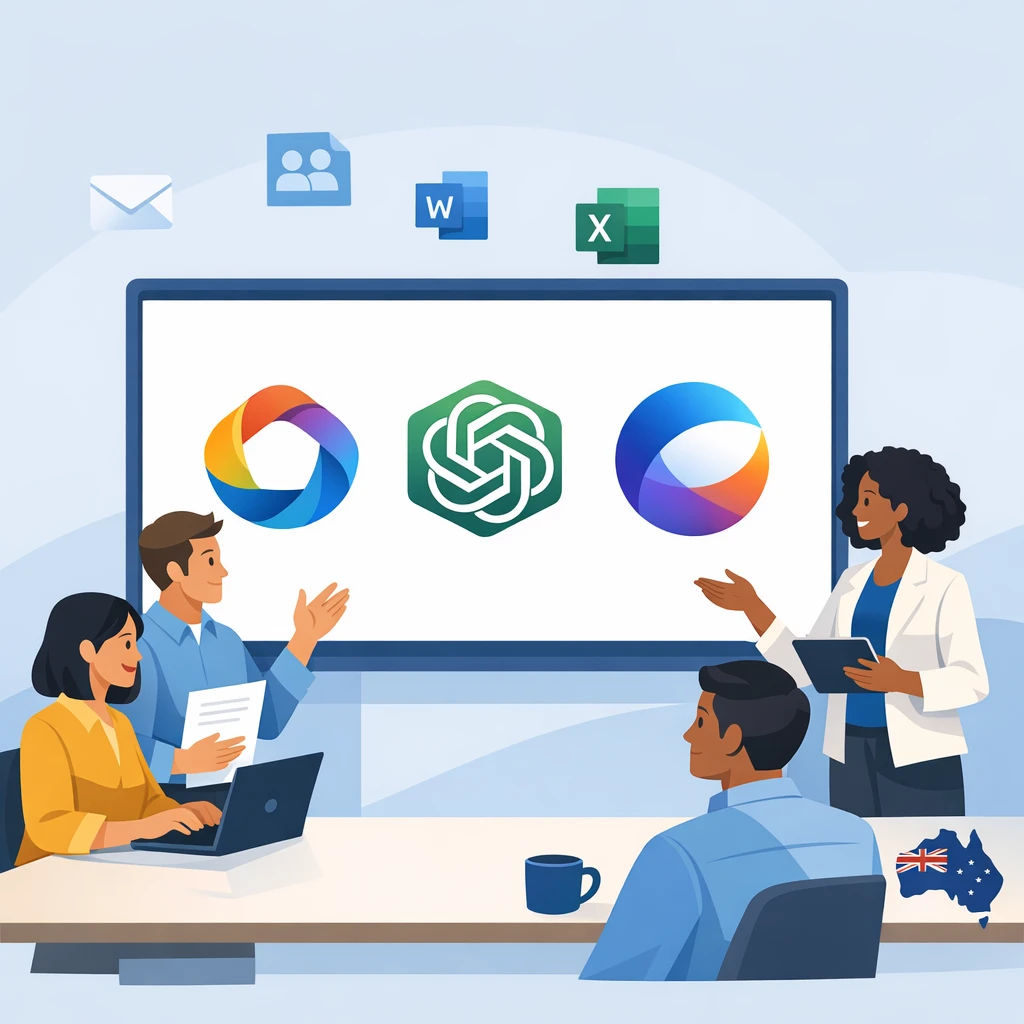
If your organisation runs on Microsoft 365, you are probably being asked a very pointed question right now: should we roll out Microsoft Copilot, or keep leaning on tools like ChatGPT and Google Gemini instead? This guide—Part 1 of 6 in our series—gives Australian decision‑makers a practical way to answer that, and sits alongside our broader resources on building a secure, productive AI environment such as our AI implementation and advisory services and our overview of a secure approach to AI‑powered transcription.
The short version: for Microsoft‑centric businesses, Copilot is often the highest business value choice, even when other models sometimes “feel” smarter on pure IQ tests. Why? Because Copilot lives inside Outlook, Teams, Word, Excel, PowerPoint and Edge, respects your existing Microsoft 365 permissions, and inherits Microsoft’s enterprise‑grade security and compliance setup. However, some experts argue that “highest business value” isn’t a foregone conclusion just because you’re a Microsoft shop. Copilot’s tight integration and compliance story are strong, but in head‑to‑head benchmarks, models like GPT‑4 and Claude routinely outperform Copilot on complex reasoning, math, and domain‑heavy tasks—and that gap can matter if your workflows lean heavily on deep analysis, R&D, or specialized knowledge work. In those cases, teams sometimes see more value by pairing or even prioritizing non‑Microsoft models, even if it means extra integration work or stitching them into Microsoft 365 via connectors and custom apps. In other words, if your competitive edge depends less on “living in Outlook and Teams” and more on raw model performance in narrow, high‑stakes domains, a best‑of‑breed LLM strategy can rival—or even beat—the business value of going all‑in on Copilot. That combination hits the sweet spot for many AU organisations, from councils and NFPs through to listed companies, especially when paired with a secure Australian AI assistant that can support everyday tasks outside the Microsoft stack.
In this article we compare Microsoft Copilot vs other AI assistants in a grounded way: where Copilot clearly wins, where ChatGPT or Gemini are the better option, and how to design a sensible hybrid strategy instead of betting the farm on a single tool. We’ll also plug everything into an Australian frame—privacy law, wage costs, and even the big government Copilot trial—so you can make a decision that stands up in front of your ELT and your risk committee, informed by independent comparisons such as this full Copilot vs ChatGPT vs Gemini report.
1. Deep Microsoft 365 integration: when Copilot is the best fit
For organisations already standardised on Microsoft 365, Copilot is not just “another chatbot”. It is wired directly into the tools your people touch all day: Outlook, Teams, Word, Excel, PowerPoint, OneNote, Edge, SharePoint and OneDrive. Instead of copying text into a browser, staff see “Draft with Copilot” or “Summarise with Copilot” buttons right inside the ribbon, as highlighted in Microsoft’s overview of what Microsoft 365 Copilot is and how it works. That sounds minor. In practice it is huge for adoption.
Because Copilot is embedded in everyday tools, employees don’t feel like they are learning a brand new product. They experience it as an upgrade to Word or Outlook. That slashes training time and reduces resistance to change—especially for non‑technical staff or frontline managers who just want their weekly report finished faster, not a new AI playground to explore. Organisations using standalone assistants like ChatGPT or Gemini often report context‑switching overhead: copy from Word, paste into the chatbot, tweak, paste back, fix formatting, and so on, a gap that can be reduced by teaching staff best‑practice AI prompting techniques.
Under the hood, Copilot taps into Microsoft Graph. That means it can safely use the emails, meetings, documents, SharePoint sites, OneDrive folders and Teams chats that a user is already allowed to see. Ask “Summarise my last three meetings with Acme” and Copilot can pull from Outlook invites, Teams transcripts and shared docs—without you uploading anything or rebuilding access rules. Competing assistants typically need manual uploads or custom connectors to approximate the same thing, and keeping those aligned with granular SharePoint/Teams permissions is hard work.
In real deployments, this deep integration translates into visible productivity gains: faster first drafts of proposals and slide decks, quicker email triage, and Excel analysis that non‑power‑users can actually run. In many real-world trials, mature Copilot use has delivered time savings measured in hours rather than minutes each week for knowledge workers—time that would otherwise be spent writing, formatting or hunting for information. For example, Australian public- and private‑sector pilots have reported savings ranging from around 14–60 minutes per day on average, with some organisations seeing even greater benefits for heavy users. Those gains compound further when you combine Copilot with a well‑designed AI personal assistant strategy.
Source: https://learn.microsoft.com; https://www.microsoft.com/en-au/microsoft-365/copilot; https://news.microsoft.com/en-au
2. Security, compliance and data residency: Copilot’s edge in Australia
One of the most common objections we hear from AU CIOs is simple: “I can’t have staff pasting sensitive material into random web AIs.” Copilot’s biggest strategic advantage is that it tackles exactly that problem, which is why many Australian organisations pair it with secure AI transcription practices and tightly governed data pipelines.
Microsoft 365 Copilot runs inside your existing tenant. Prompts and responses are processed within Microsoft’s enterprise environment and governed by the same identity, logging, and compliance controls you already use for Exchange, SharePoint and Teams. By default, your tenant data is not used to train public foundation models or shared services. If you explicitly opt in to customization or fine-tuning scenarios, your data may be used to improve models that are isolated to your organization, but it is not used to train general public models without your permission. Access to content flows through the same Entra ID (Azure AD) permissions, role‑based access controls and conditional access policies that your security and risk teams know inside‑out, as outlined in Microsoft’s explanation of what a Copilot is and how it works.
From an Australian regulatory point of view, this matters. Copilot inherits much of Microsoft 365’s compliance posture: ISO certifications, SOC reports, GDPR alignment, and—in our context—alignment with the Australian Privacy Principles and schemes like Notifiable Data Breaches. For regulated finance, Copilot can help support an organisation’s CPS 234 obligations via Microsoft’s information security and compliance capabilities, but Copilot itself is not a formal APRA CPS 234–certified service. Copilot inherits Microsoft 365’s compliance posture: ISO certifications, SOC reports, GDPR alignment, and—in our context—support for Australian Privacy Principles and schemes like Notifiable Data Breaches and, for finance, APRA CPS 234. Where the underlying Microsoft 365 and Azure services support it and are configured accordingly, data residency can be anchored in Australian Azure regions such as Australia East, Australia Southeast, or Australia Central. This regional anchoring is especially important for governments and critical infrastructure operators, noting that some Azure services remain global or non‑regional and may process certain data outside Australia unless specifically constrained.
Compare that with staff quietly using free ChatGPT or consumer Gemini in a browser. Organisations then have to worry about:
- Accidental upload of confidential data into tools whose training and retention policies may not meet local standards.
- Lack of central visibility over who is using which tool, with what data, and for what purpose.
- Difficulty enforcing DLP, retention, and eDiscovery across multiple third‑party platforms.
Copilot doesn’t magically remove risk—if your SharePoint permissions are too broad, Copilot will faithfully surface that overly shared content. But in any misuse or potential breach, the pattern looks like a standard Microsoft 365 incident, not an exotic new one. You are working within a security and governance model your teams already understand, which can be further strengthened by engaging specialist AI IT support for Australian SMBs to harden your environment end‑to‑end.
Source: https://learn.microsoft.com; https://learn.microsoft.com/en-au/microsoft-365/compliance; https://news.microsoft.com/en-au
3. Capability comparison: Copilot vs ChatGPT vs Google Gemini
Let’s be blunt. Copilot is not always “smarter” than ChatGPT or Gemini on abstract benchmarks. In many tests, GPT‑4/Turbo in ChatGPT remains one of the strongest general‑purpose models; Gemini’s frontier models are excellent for web‑native and multimodal tasks. So why does Copilot often win in Microsoft‑first businesses?
First, Copilot’s context advantage. When you type a prompt in Word, Excel, Outlook or Teams, Copilot can combine frontier models with deep knowledge of your documents, emails, calendar and chats (via Microsoft Graph). Ask it to “Draft a customer update summarising our last three project status reports”, and it can actually read those reports from SharePoint, respect permissions, and generate the email in Outlook ready to send. A standalone ChatGPT session cannot do that without file uploads and manual stitching.
Second, workload fit. Copilot’s sweet spot is Microsoft‑365‑centric work:
- Word / PowerPoint: turning long reports into concise summaries or slide decks; generating first drafts of policies, proposals, or training materials.
- Outlook / Teams: summarising long threads and meetings into actions; drafting responses in your corporate tone.
- Excel: explaining tables, suggesting formulas, spotting trends, and building quick analysis, especially for users who are not Excel gurus.
Gemini and ChatGPT can perform many of these tasks when you upload files, but they sit outside your daily workflow. That friction erodes some of their theoretical productivity gains.
Third, multi‑model flexibility. Microsoft is positioning Copilot as a kind of “model orchestrator”. The Copilot app is designed to route prompts across different underlying models in the Microsoft ecosystem, such as GPT‑5, with Microsoft positioning it as a kind of “model orchestrator.” Over time, this lets you tap into complementary strengths—GPT5.2 as powerful generalists, and other specialized models as Microsoft adds them—without your users hopping across multiple unapproved websites…, and aligns with independent analyses such as this TechTarget comparison of Microsoft Copilot vs Google Gemini.
Where do alternatives win? ChatGPT is still the best all‑rounder for coding support, rapid experimentation and API‑driven custom tools. Gemini shines in Google Workspace‑first environments and search‑heavy roles that lean on Google Search and YouTube. And for very large context windows (multi‑hundred‑thousand token legal reviews or codebase analysis), Gemini’s API tier currently holds an edge.
So the practical rule of thumb: Copilot for Microsoft‑centric work over your own data; ChatGPT for suite‑agnostic reasoning, coding and prototyping; Gemini for Google‑first or research‑heavy teams. However, some experts argue that Gemini’s edge here isn’t as clear‑cut as the raw numbers suggest. While Gemini 2.5 Pro does support ~1M‑token contexts (with 2M on the roadmap), OpenAI’s GPT‑4.1 and Anthropic’s latest Claude models are now in a similar ballpark for enterprise and high‑tier API users. More importantly, research on maximum effective context windows shows that accuracy and recall can drop off well before you hit those theoretical limits, so simply being able to stuff more tokens into the prompt doesn’t always translate to better legal or codebase analysis. Add in the fact that Gemini’s largest context tiers are often gated or in limited preview, and the “edge” becomes more situational: great if you have access and truly need million‑token inputs, but far less decisive once you factor in real‑world availability and how models actually perform at those extremes.
Source: https://learn.microsoft.com; https://openai.com; https://ai.google; https://news.microsoft.com/en-au
4. Pricing, ROI and total cost of ownership for Australian businesses

Once you get past the hype, the question from finance is predictable: “What does this actually cost us, and what do we get back?”
Pricing is broadly similar across the major assistants. Individual plans tend to cluster around ~US$20/month (ChatGPT Plus, Copilot Pro, Gemini Advanced). For enterprise productivity suites, Microsoft 365 Copilot is priced at US$30/user/month on top of eligible Microsoft 365 licences, with total cost depending on your underlying Microsoft 365 plan. Google is progressively bundling Gemini capabilities into Workspace SKUs, but a clear, universally published US$30/user/month standalone Gemini-for-Workspace enterprise add-on isn’t consistently advertised, and actual pricing can vary by tier and region. On the OpenAI side, ChatGPT Team is in the ~US$25–30/user/month range depending on billing cycle, while ChatGPT Enterprise is fully negotiated but typically lands in a similar per‑seat ballpark for large deployments.
The big difference is total cost of ownership. With Copilot for Microsoft 365, you are adding a capability onto a platform you already manage:
- Licences are administered through your existing Microsoft 365 admin centre.
- Security, DLP, logging and eDiscovery ride on top of your current stack.
- You do not need to build and maintain extra identity plumbing just to make the tool usable with internal content.
Competing tools may look cheaper per user but often require:
- Custom connectors or middleware to reach SharePoint, OneDrive, CRM, ERP and line‑of‑business systems.
- Separate governance and monitoring solutions to meet security and compliance requirements.
- Additional change management because the experience lives outside everyday tools.
On the benefit side, vendor and government trials give some useful directional numbers. Early Copilot programmes suggest knowledge workers can save 30–90 minutes a week once they get past the learning curve. A six‑month Australian Government pilot from January to June 2024, involving 7,600 APS staff across more than 60 agencies, found that 69% of surveyed users completed tasks faster, 61% reported improved work quality, and participants saved up to an hour per day on summarisation, drafting and searching for information, echoing the business value themes described in third‑party analyses of Copilot’s benefits.
In an Australian wage environment, one hour per day per person is not trivial. Over a year, even half that benefit can justify a ~AUD 40–50/user/month licence, especially when redeployed into higher‑value work (more client conversations, better citizen service, extra sales touches). The catch is that you only realise those gains with purposeful rollout: training, workflow redesign and guardrails—not just “turning it on”, which is where structured support from a specialist AI implementation partner can make a significant difference.
Source: https://learn.microsoft.com; https://news.microsoft.com/en-au; https://openai.com; https://ai.google
5. Productivity, skills and morale: what changes for your teams
Tools are the easy part. People are harder. Copilot, ChatGPT and Gemini can all lift throughput, but they also reshape how assistants, coordinators and knowledge workers actually spend their days.
For many roles, Copilot realistically automates 40–70% of “assistant‑type” activities: drafting emails and documents, pulling together meeting notes and action lists, updating simple trackers, and even proposing meeting times from calendars and email threads. However, some experts argue that the 40–70% figure overstates where we are today. They point out that most real‑world data shows Copilot driving targeted efficiency gains on specific tasks—like speeding up first drafts or helping summarize meetings—rather than broadly automating half of all assistant‑type work across roles. In practice, quality still depends heavily on human review, context, and judgment, which limits how much can be fully “handed off” to AI. From this perspective, Copilot is less a drop‑in replacement for large chunks of assistant duties and more a precision tool that shaves minutes off high‑friction workflows. That view suggests we should treat the 40–70% range as an ambitious upper bound or future‑leaning scenario, not a guaranteed baseline every team can expect on day one. In Teams, Copilot can capture decisions and actions, then update Planner or Loop. That does not eliminate roles; it changes them—from doers to orchestrators, especially when paired with well‑implemented AI personal assistants that coordinate tasks across systems.
When implementation is done well, morale tends to improve. People offload repetitive typing and formatting, and focus more on judgement, relationships and problem‑solving. Junior staff and non‑native English speakers often feel more confident when Copilot helps them produce professional‑quality emails and reports in familiar tools.
But there are two very real risks. First, surveillance fears. Deep integration with emails, documents and chats can be misread as “management is ramping up monitoring”, especially in unionised or heavily regulated sectors. Clear communication—that Copilot is about augmenting work, not spying—is critical.
Second, skill atrophy. If teams let Copilot do all the reading, writing and analysis, core capabilities can weaken over time: drafting, critical thinking, spreadsheet modelling. Juniors may rely on summaries instead of reading full documents, slowing true expertise. These risks exist with ChatGPT and Gemini too, but Copilot’s constant presence inside every Office app can amplify them unless you design guardrails.
Mitigation looks like this:
- Adopt a clear “co‑pilot, not autopilot” principle—AI drafts, humans critique and own the output.
- Update skills frameworks so staff are assessed on both AI‑assisted work and their ability to independently validate AI outputs.
- Mandate manual authorship or enhanced review for high‑risk areas like legal, clinical or regulatory content.
- Train on AU‑specific context (law, policy, cultural nuance) where generic models sometimes mis‑step.
Source: https://learn.microsoft.com; https://news.microsoft.com/en-au
6. Portfolio strategy: combining Copilot, ChatGPT and Gemini
The biggest trap in AI assistant strategy is thinking you must choose a single winner. In practice, most Australian organisations will get the best outcome from a portfolio approach, and many are already exploring this alongside broader platform shifts such as migrations outlined in our complete guide to GPT‑5.
A common pattern looks like this:
- Primary embedded assistant: Microsoft 365 Copilot in Microsoft‑first shops, or Gemini in Google Workspace‑first environments.
- Specialist reasoning/coding assistant: ChatGPT Plus/Team or equivalent for developers, data teams, and R&D functions that need strong coding tools and flexible APIs.
- Approved tools register: a simple central list of which business units can use which tools, with what data, under what rules.
In mixed ecosystems—say, head office on Microsoft 365, marketing half‑living in Google tools, product teams on Atlassian and bespoke systems—a hybrid strategy is almost mandatory. Copilot handles email, documents, meetings and Office‑based workflows. Gemini or ChatGPT cover niche workflows (SEO research, code exploration, knowledge‑heavy R&D) where they outperform Copilot, as also reflected in independent evaluations like this in‑depth Copilot vs Gemini comparison.
Governance needs to keep pace. For Copilot, that means leaning on existing Microsoft mechanisms: sensitivity labels, DLP, Purview, SharePoint Advanced Management and, for more advanced setups, Copilot Studio and Agent 365 controls to govern custom agents and workflows. For external tools, you’ll need contracts that address data residency, training policies, identity integration and logging.
To move beyond theory, structured pilots help. Run side‑by‑side trials of Copilot, ChatGPT and (if relevant) Gemini across a handful of representative teams over 3–6 months. Measure:
- Task completion time before vs after (drafting proposals, replying to customers, building weekly reports).
- Output quality, using peer review or manager scoring.
- User satisfaction and perceived workload changes.
- Incidents: errors, bias, or access‑related issues.
Treat the portfolio less like a tech procurement and more like building a balanced investment fund: each assistant gets a clear role, KPIs and guardrails. That makes it much easier to justify spend and explain your choices to boards, auditors and staff, and aligns well with a broader AI strategy and services roadmap that covers training, support and governance.
Source: https://learn.microsoft.com; https://news.microsoft.com/en-au; https://openai.com; https://ai.google
Practical steps: how to pilot Copilot vs other AI assistants
To wrap up this first part of the series, let’s get concrete. Here is a simple playbook you can adapt for your own organisation in Australia, whether you are experimenting with general assistants or rolling out specialised workflows such as AI transcription to enhance clinician–patient interactions.
- Clarify your baseline. Pick 5–10 high‑value scenarios per business unit: drafting board papers, answering customer emails, preparing tender responses, summarising case files. Time them today and capture error/rework rates where possible.
- Fix your data and permissions first. Before rolling out Copilot, clean up obvious SharePoint and Teams over‑sharing, apply sensitivity labels where needed, and review guest access. Copilot will surface whatever your permissions allow—good or bad.
- Design your assistant portfolio. Decide upfront: Copilot as the default inside Microsoft 365; which teams, if any, get ChatGPT or Gemini; and what is out of bounds (e.g., no personal health records, no classified materials).
- Run a structured pilot (3–6 months). Include a cross‑section: executives, assistants, frontline managers, analysts. Provide short, scenario‑based training (“A day in the life of an EA with Copilot”, not just theory). Encourage honest feedback, including what doesn’t work.
- Measure and iterate. Combine usage analytics (from Microsoft’s Copilot dashboards and your other tools) with surveys and interviews. Look for gaps: roles with low usage who should be high‑value, or over‑reliance without adequate review in high‑risk processes.
- Update policies and skills frameworks. Embed “AI as co‑pilot” expectations in role descriptions, performance reviews and training plans. Make it clear that staff are responsible for checking and owning outputs, regardless of the assistant used.
If you approach Copilot and other assistants this way—as part of a deliberate, measured change program rather than a shiny add‑on—you are far more likely to see the promised hour‑per‑day gains without tripping compliance alarms or hollowing out core skills, and you’ll be better positioned to take advantage of future platform shifts detailed in resources like our AI skills development programs for educators and trainers.
Source: https://learn.microsoft.com; https://news.microsoft.com/en-au

Conclusion: making a confident Copilot decision
Microsoft Copilot is not a universal replacement for every AI assistant. It is, however, one of the strongest practical choices for Australian organisations already built on Microsoft 365. Its deep integration into Outlook, Teams, Word, Excel and PowerPoint; alignment with existing security, compliance and data residency controls; and emerging multi‑model flexibility mean it often delivers more total business value than standalone tools alone, particularly when guided by robust AI prompting standards and a clear operating model.
The smart move is not “Copilot or ChatGPT or Gemini” but “Copilot and the right specialist tools, under clear governance”. Start with the work your people actually do, fix your data foundations, run measured pilots, and treat AI assistants as co‑pilots—never autopilots.
If you’d like a structured, vendor‑neutral view on how Copilot vs other assistants could play out in your specific environment—licensing, regulation, ROI, culture—this article is only Part 1 of the journey. Use it as a springboard to design your own portfolio and roadmap, then keep exploring the rest of the series to go deeper on implementation, governance and change, or speak with us about end‑to‑end AI deployment services tailored to Australian organisations.
Frequently Asked Questions
What is Microsoft Copilot and how is it different from ChatGPT or Google Gemini for businesses?
Microsoft Copilot is an AI assistant built directly into Microsoft 365 apps like Outlook, Teams, Word, Excel and PowerPoint, using enterprise-grade security, identity and permissions. ChatGPT and Google Gemini are more general-purpose AI chat tools that run mainly in the browser or via APIs, and don’t automatically plug into your Microsoft documents, emails and calendars unless you build extra integrations. For Australian businesses already on Microsoft 365, Copilot often delivers more practical day-to-day value because it works on your existing files and meetings. However, ChatGPT and Gemini can be stronger at open-ended ideation, coding or web search, so many organisations use them in combination.
Is Microsoft Copilot worth it for Australian businesses already using Microsoft 365?
For most Microsoft-centric Australian organisations (using Outlook, Teams, SharePoint and OneDrive daily), Copilot is often worth the investment because it saves time inside the tools your staff already use. It can summarise long email threads, draft replies, prepare meeting notes, analyse Excel data and turn documents into presentations with your real company content. The value is highest for knowledge workers who spend a lot of time in meetings, email and documents. A short, well-designed pilot in one or two departments is the best way to confirm ROI before committing organisation-wide.
How does Microsoft Copilot handle data security, privacy and data residency for Australian organisations?
Copilot inherits Microsoft 365’s existing security, compliance and identity controls, so it respects permissions (who can see what) and uses the same audit, logging and access rules you already have in place. For eligible tenants, data is stored and processed within Microsoft’s Australian data centres, helping with data residency and regulatory requirements. Unlike consumer AI tools, prompts and outputs from enterprise Copilot chats are not used to train the underlying foundation models. You still need to review your data classification, sharing and retention settings to make sure Copilot only has access to what it should.
When would ChatGPT or Google Gemini be a better choice than Microsoft Copilot for my business?
ChatGPT and Google Gemini can be better choices when you need strong creative writing, coding assistance, research across the open web or AI that’s not tied to Microsoft 365. They’re often ideal for marketing content ideation, technical prototyping, experimentation and teams that work heavily in browsers or Google Workspace. For some SMEs that don’t use Microsoft 365 deeply, a standalone AI assistant may provide more value per dollar than Copilot. Many Australian businesses use Copilot as the primary work assistant, then supplement it with ChatGPT or Gemini for specialised use cases.
How should an Australian business decide between Microsoft Copilot vs other AI assistants like ChatGPT and Gemini?
Start by mapping your current tools (Microsoft 365, Google Workspace, CRM, line-of-business apps) and where your staff actually spend time—email, meetings, documents or specialised systems. If most of your work happens inside Microsoft 365, Copilot usually delivers the most frictionless productivity gains, while ChatGPT or Gemini can be layered on for creative or technical tasks. Compare security and compliance requirements, licensing costs and how easily each option fits your existing identity and device management. Running a 6–12 week pilot with a small cross-functional group is the safest way to test scenarios, measure value and make a confident decision.
Can I safely use ChatGPT or Google Gemini with sensitive Australian business data if we also roll out Microsoft Copilot?
You should treat public ChatGPT and Gemini (consumer web versions) as untrusted for sensitive or confidential data, because prompts may be logged and stored outside your control. If you need to use these tools with internal information, consider enterprise versions (like ChatGPT Team/Enterprise or Gemini for Google Workspace) with contractual data protections and admin controls. Even then, many organisations keep highly confidential material inside Microsoft 365 with Copilot, where data residency, identity and access controls are more mature. A clear AI acceptable use policy and staff training are essential so people know what can and cannot be pasted into external AI tools.
How do AI temperature settings work and what does temperature mean in ChatGPT or Copilot?
Temperature is a setting that controls how random or conservative an AI model’s responses are: low temperature (e.g. 0–0.3) makes outputs more predictable and factual, while high temperature (e.g. 0.7–1.0) makes them more varied and creative. In tools like ChatGPT, the temperature is often configurable through the API or in advanced settings, whereas in Microsoft Copilot it’s usually pre-tuned by Microsoft for business use. Lower temperatures are better for policies, technical instructions and analysis, while higher temperatures suit brainstorming, campaign ideas and creative first drafts. Even with a good temperature choice, you still need human review for accuracy and tone.
Why does AI temperature affect randomness and how should Australian businesses choose the right AI temperature?
AI models predict the next likely word; temperature changes how bold they are in picking less likely options, which creates more randomness as you increase it. Australian businesses should use low temperatures for compliance-heavy content, financial summaries and HR policies, and moderate to higher temperatures for marketing copy, ideation and alternative phrasings. When building internal AI tools or using APIs, start with 0.2–0.4 for precise work and 0.6–0.8 for creative tasks, then adjust based on user feedback. If you’re only using Microsoft Copilot’s standard interface, these temperature choices are handled under the hood, but you can still steer it by asking for “conservative” vs “creative” responses.
What is a good temperature setting for AI writing and can I change the temperature of my AI assistant?
For business writing like emails, reports and proposals, many teams find a temperature around 0.5–0.7 gives a good mix of clarity and creativity when using APIs or configurable tools such as ChatGPT or Gemini. For legal, risk or policy documents, drop closer to 0.1–0.3 to reduce made-up details and keep the tone consistent. You can usually change temperature in developer settings or when configuring an AI integration, but end-user interfaces like Microsoft Copilot for Microsoft 365 may not expose it directly. In those cases, prompt instructions like “give me three creative options” or “stick closely to the source document” act as a practical substitute.
How can LYFE AI help my Australian business choose and implement Microsoft Copilot versus other AI assistants?
LYFE AI works with Australian organisations to assess your current Microsoft 365 setup, security and workflows, then designs a practical AI assistant strategy that might include Copilot, ChatGPT, Gemini or a mix. They help run low-risk pilots, configure permissions and governance, set up safe-use policies and train staff so tools are actually adopted. LYFE AI can also advise on when to use low vs high temperature settings in custom AI solutions to balance accuracy and creativity. This end-to-end support reduces risk, speeds up ROI and ensures your AI investments align with compliance and business goals.