
Prompt Engineering Assistants: From Fundamentals to Enterprise-Grade Practice (Part 2)
Table of Contents
-
Introduction: From “type something” to deliberate prompt design
-
RTCO and Role–Task–Context–Output(+Examples): Your core prompt skeletons
-
Zero-shot, one-shot, and few-shot: Designing effective examples
-
Long-context prompts, XML vs natural language, and structure choices
Introduction: From “type something” to deliberate prompt design

Roll out the same AI model across a team and you’ll see very different results. Some people get sharp, useful answers; others get vague or wrong ones. The difference is prompt engineering – not as buzzword theatre, but as repeatable techniques you can teach and reuse.
In this second part of our “Prompt Engineering Assistants: From Fundamentals to Enterprise-Grade Practice” series, we move from why prompts matter to the how. We’ll cover RTCO frameworks, zero-/one-/few-shot example design, chain-of-thought and agentic prompting, long-context structuring, and coaching-style companions your team can trust.
Treat this article as a field guide you can turn into a library of reusable prompt templates. By the end, you’ll brief an AI much like you brief a sharp colleague rather than “throwing words at a black box”.
According to industry research on prompt engineering, these skills increasingly underpin how modern teams unlock value from advanced models like GPT‑5 and beyond.
How prompt quality shapes AI output quality
Large language models (LLMs) only “see” text: your prompt plus conversation history. Every token you give them is a clue; everything you leave out becomes guesswork. Vague prompts lead to generic or wrong answers; structured prompts feel targeted and reliable.
Models like GPT‑5, Claude, Grok, Gemini and IBM’s Granite predict the next token based on patterns in their training data and your input. If you type “Write a report on marketing”, the model must infer audience, length, region, tone, and detail level, so it defaults to something broad and safe.
When you supply instructions and constraints – “Act as a senior B2B marketer in AU; write a 600-word report for non-technical founders; focus on email acquisition; avoid US statistics” – you narrow the search space. You steer content and reduce hallucinations because the path to likely next tokens is better defined.
IBM calls prompt engineering “the new coding” because natural language now acts as a lightweight programming interface. Instead of classes and functions, you orchestrate behaviour through roles, tasks, context, and step-by-step instructions. Prompts are tiny programs; investing a few extra lines up front pays off across entire workflows.
Many teams pair better prompting with robust AI services such as specialised deployment and support, ensuring underlying models and workflows are tuned for their specific Australian context and compliance needs.
RTCO and Role–Task–Context–Output(+Examples): Your core prompt skeletons
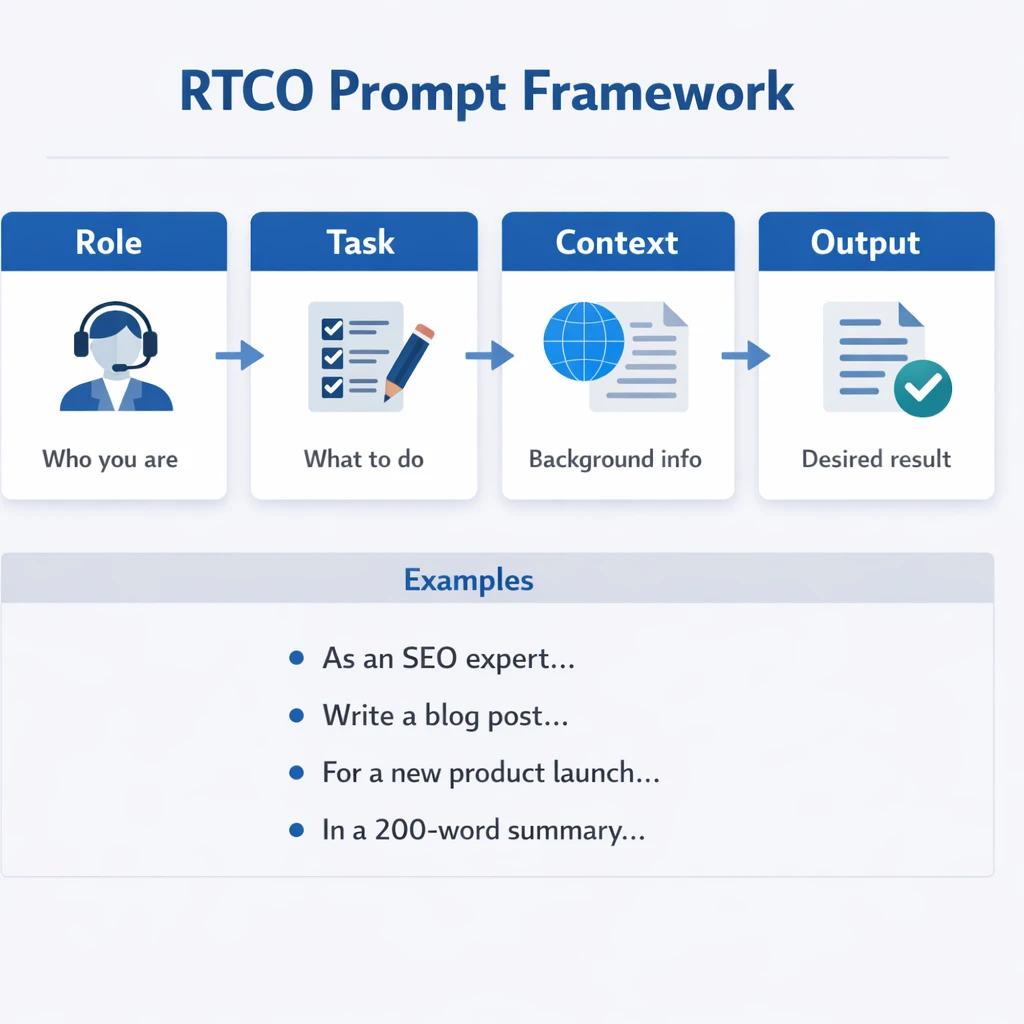
A simple way to improve prompts is to stop writing one messy blob and adopt a stable structure. A reliable pattern is RTCO: Role – Task – Context – Output, extended to RTCO+E when you add examples.
-
Role – Who should the AI act as? (“You are a senior product manager in a SaaS startup in Melbourne.”)
-
Task – What do you want, in clear, actionable language? (“Draft a launch brief for our new analytics feature.”)
-
Context – Background it needs: data, goals, constraints, audience, brand voice.
-
Output – Required format, length, tone, and follow-up behaviour.
A simple RTCO prompt:
ROLE: You are a senior customer success manager in an Australian B2B SaaS company.
TASK: Rewrite this customer email to be clearer and more empathetic while staying firm on our policy.
CONTEXT: [Paste email]. Customer is a long-term client but has missed payments twice. We want to retain them.
OUTPUT: Return only the improved email in Australian English, around 150–200 words.
To evolve this into Role–Task–Context–Examples–Output, add one or more labelled examples under an EXAMPLES heading. For instance, show a “BEFORE” and “AFTER” email pair so the model can mimic your tone and structure, which often outperforms abstract instructions like “sound friendly but professional”.
You can embed a clarification pattern directly in the Output section: “If you are unsure about any part of the task, ask up to 3 clarification questions before answering.” This turns the assistant from a silent guesser into an active collaborator and reduces back-and-forth.
Many of these RTCO patterns align with established best practices for AI prompts, which emphasise clear roles, scoped tasks, and explicit outputs as foundations for reliable assistants.
Zero-shot, one-shot, and few-shot: Designing effective examples
Once you’ve nailed RTCO, the next lever is examples. Examples “show” instead of “tell”, teaching the model patterns more precisely than vague style notes.
In a zero-shot prompt, you provide no examples – just instructions. For simple tasks (“Summarise this article in three bullet points”) this works; for anything with strong stylistic expectations it often yields bland or inconsistent results.
A one-shot prompt adds a single example: one input and one ideal output. If you’re training an assistant to improve internal Slack updates, you might provide:
-
EXAMPLE INPUT: A rambling Slack message about a feature delay.
-
EXAMPLE OUTPUT: A concise, calm update that names the problem, impact, and next steps.
Then ask the model to apply the same transformation to a new message. That lone example can strongly anchor tone, length, and structure.
Few-shot prompting uses multiple labelled examples and is ideal when you want consistent style across many outputs: customer replies, sales outreach, internal updates, and more. For each example, clearly separate INPUT and DESIRED OUTPUT, then end the prompt with a new INPUT and: “Return only the improved version, following the above style.”
A useful trick is to mix “borderline” examples. Include one that is barely acceptable and then show how you’d nudge it to your ideal standard. This helps the model learn your real quality bar, not just perfect cases.
If you’re worried about token limits, rotate examples. Maintain sets of few-shot examples for different audiences (founders, engineers, customers) and load only the relevant set into the prompt for each run. Over time, you’ll have modular example blocks you can snap into different RTCO skeletons.
Guidance from MIT’s work on effective prompts and engineering best practices reinforces how well-chosen examples substantially boost consistency and accuracy.
Chain-of-thought and agentic prompting for deeper reasoning
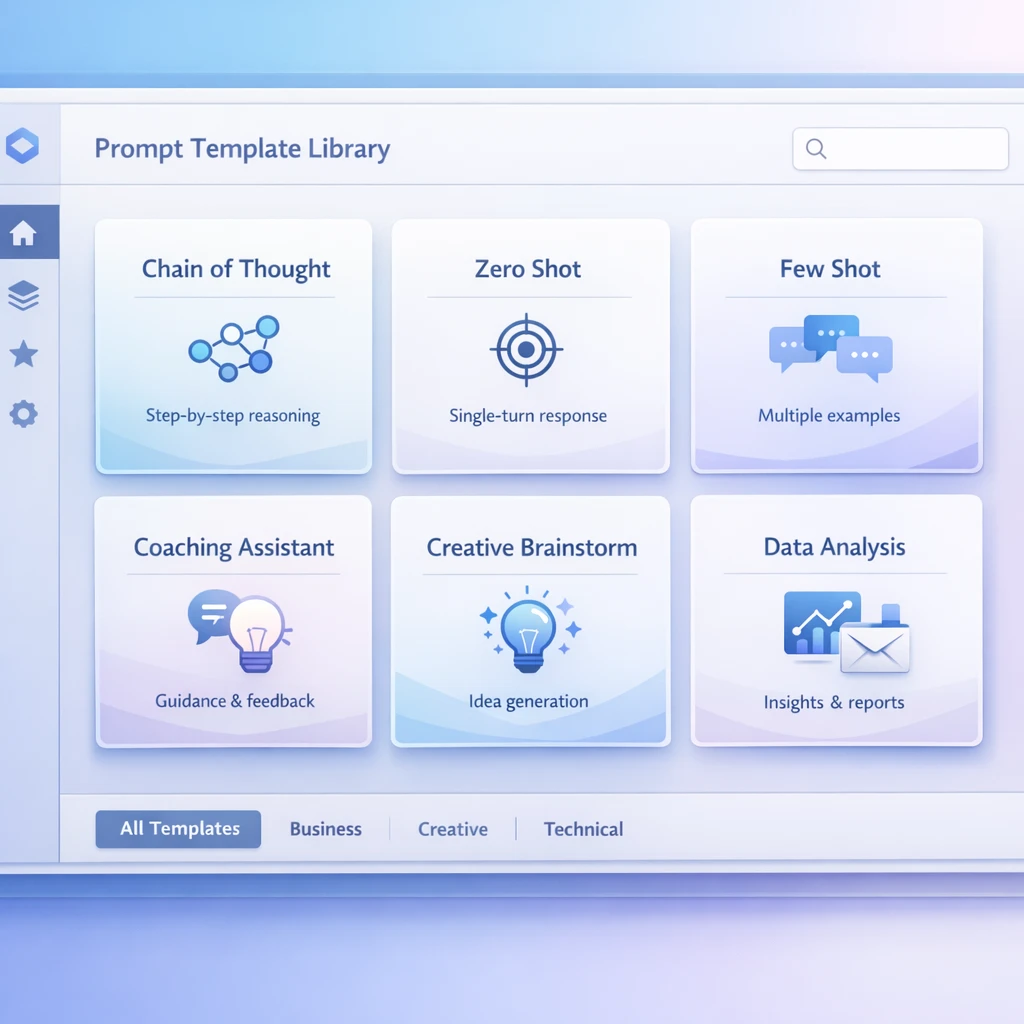
Style is one thing; reasoning is another. When you ask an assistant to prioritise product features, untangle a tricky policy, or plan a complex migration, you want it to think in steps before it answers.
Chain-of-thought (CoT) prompting tells the model to reason step by step. Instructions like “Think this through step by step” or “First outline your reasoning, then give a short final answer” can improve performance on complex math, logic, and trade-off questions.
Providers sometimes limit detailed CoT exposure for safety reasons, but you can still nudge structured reasoning by asking for intermediate steps: “List the assumptions you’re making”, “List three options and pros/cons”, or “Show the calculation stages, then the final number”.
For more involved workflows you move into agentic prompting. Here, you instruct the AI to act like a mini-agent that plans and executes across several steps. A common pattern:
-
Clarify – Request missing information first.
-
Plan – Outline a step-by-step plan before doing any work.
-
Execute – Carry out each step, optionally calling tools or APIs if your environment supports them.
-
Summarise – Finish with a concise summary or recommendation.
For example: “Act as a research agent. First, restate the task in your own words. Second, list the steps you will take. Third, execute the steps one by one, calling tools when needed. Fourth, summarise your findings in a short brief for a non-technical audience.” You can also instruct it to minimise tool calls and to confirm any irreversible steps.
This clarify → plan → execute pattern is useful when teams work across time zones. A team member can drop a complex request into the assistant at the end of the day, and the agentic prompt helps the system follow a sensible workflow while they sleep.
These reasoning patterns are especially valuable when orchestrating enterprise assistants around sensitive domains like clinician–patient AI transcription or secure data workflows, where transparent logic paths support both trust and auditability.
Long-context prompts, XML vs natural language, and structure choices

Modern models can ingest huge amounts of text – tens of thousands of tokens. That’s great for contracts, research dumps, or whole product backlogs, but raises a new issue: how do you stop your instructions from getting lost?
One answer is delimiters. Simple markers like ###, triple quotes, or lines of dashes separate sections such as instructions, examples, and raw data. For example:
INSTRUCTIONS
###
[Role/Task/Output text]
###
DATA TO ANALYSE
“””
[Paste long report]
“””
For structured outputs or complex inputs, XML-style tags can push things further: <role>, <task>, <context>, <examples>, <output>. Models handle these well because they mirror markup-like formats seen in training data.
A long-context analysis prompt might look like:
<role>You are a data analyst helping an AU marketing team.</role><task>Find 5 key trends and 3 risks in the data.</task><context>The data comes from last quarter’s campaigns across Australia.</context><output>Return JSON with "trends" and "risks" arrays.</output><data>[very long table or CSV]</data>
Choosing between XML-style tagging and natural-language headings is partly model-specific and partly taste. GPT-family models often respond well to conversational instructions plus a few clear delimiters. Models like Claude are strong with long contexts and respect explicitly tagged sections and schemas.
The key is consistency. Pick a pattern – say, RTCO with ### separators or XML-style tags – and standardise it across your prompt library. This makes prompts easier to debug, share, and adapt as context windows grow larger.
Documentation such as OpenAI’s prompt engineering best practices and LaunchDarkly’s implementation guides echo this focus on consistent structure, especially for long-context, production-grade applications.
Designing safe companion and coaching-style assistants
Many of the most impactful assistants are coaching, brainstorming, reflection, and learning tools. Done well, a coaching-style assistant can feel like a calm colleague who always has time for you.
The trick is to design the persona and boundaries carefully. Start with Role: “You are a supportive coaching assistant helping professionals in Australia reflect on their work and plan next steps. You are not a therapist and you do not give clinical advice.” That last sentence is crucial for safety and expectations.
Shape the Task and Output around questions instead of lectures. For example: “Ask me 3–5 thoughtful questions to understand my situation. Then suggest 2–3 options I could consider, highlighting trade-offs. Encourage me to pick one and commit to a small next action.” This keeps the assistant collaborative rather than prescriptive.
Context can include values and tone guidance: “Use plain language, avoid jargon, and respect that I may be tired or stressed. Keep suggestions practical for someone working in a typical Australian office environment.” Also specify what the assistant should avoid: “Do not make medical, financial, or legal claims. If I ask for those, encourage me to seek a qualified professional.”
Finally, add a clarification pattern tuned for emotional nuance: “If my message sounds frustrated, acknowledge the feeling before offering ideas. If my request is vague, gently ask a clarifying question instead of guessing.” While models aren’t truly empathetic, this kind of structure makes interactions feel more respectful and grounded.
Many teams in AU deploy these companion-style assistants for onboarding, leadership development, or structured end-of-week reflection. With a solid persona prompt, they become an always-on thinking partner that raises the floor for everyone.
These designs fit naturally with consumer-ready tools like a secure Australian AI assistant for everyday tasks or more tailored setups such as a guided AI personal assistant, where safety boundaries and tone are as important as raw capability.
Practical templates and everyday prompt patterns
You don’t need dozens of prompts; a small set of versatile patterns will cover most daily tasks. Below are three you can adapt straight away.
1. Beginner analysis template (RTCO + clarification)
ROLE: You are a clear, patient data analyst.
TASK: Help me understand this data and suggest 3 practical actions.
CONTEXT: I work in an Australian small business. I’m not a data expert. Here is the data: [paste].
OUTPUT:
-
Step 1: Explain 3–5 key patterns you see, in plain language.
-
Step 2: Suggest 3 actions I could try next month.
-
Step 3: Ask me 2 clarification questions if something is unclear before answering.
2. Few-shot style transformer template
ROLE: You are an editor improving internal updates.
EXAMPLES:
INPUT: [rough status update A]
OUTPUT: [improved status update A]
INPUT: [rough status update B]
OUTPUT: [improved status update B]
TASK: Improve the following update in the same style as the examples.
CONTEXT: Audience is our cross-functional team in AU; keep it concise and respectful.
OUTPUT: Return only the improved update.
3. Chain-of-thought decision helper
ROLE: You are a structured decision coach.
TASK: Help me choose between these options: [list].
CONTEXT: Briefly: [my situation].
OUTPUT:
-
Step 1: Restate my goal in your own words.
-
Step 2: For each option, list 3 pros and 3 cons in an AU workplace context.
-
Step 3: Briefly explain which option you’d lean toward and why, in 3–4 sentences.
-
Step 4: Suggest one small next step I can take this week.
Save 2–3 of these templates in your notes or documentation. Each time you see a repeated task – status updates, customer emails, analysis, coaching – plug it into one of these and refine it. Over a few weeks, you’ll move from ad-hoc prompts to a living prompt library tailored to how your team in Australia actually works.
These everyday patterns pair well with operational setups like AI IT support for Australian SMBs and can be extended to more advanced use cases as models evolve, including upcoming releases covered in resources like the complete guide to GPT‑5. For individuals, similar templates underpin finding and configuring the right AI partner or assistant, and even opportunities to become a teacher or mentor in AI‑powered learning communities.
Conclusion and next steps
Prompt engineering isn’t about magic words. It’s about stable structures – Role–Task–Context–Output(+Examples), zero/one/few-shot demonstrations, chain-of-thought and agentic instructions, and careful persona design – that turn a general-purpose model into something that feels purpose-built for your work.
As you experiment, keep three habits in mind: structure your prompts, show rather than tell with examples, and invite clarification instead of forcing the model to guess. Do just those and you’ll feel a shift from hit-and-miss answers to consistently useful assistance.
In Part 3 of this series, we’ll look at how to debug and refine prompts when things still go wrong, and how to turn trial-and-error into a more systematic practice. For now, pick one template from this article, adapt it to your context, and run a small experiment this week.
If you’d like a deeper dive into the underlying techniques, resources such as FSU’s overview of prompt engineering and advanced assistant design guides complement hands-on services from providers like Lyfe AI’s AI implementation and support team.
© 2026 LYFE AI. All rights reserved.
Frequently Asked Questions
What is RTCO in prompt engineering and how do I use it in real prompts?
RTCO stands for Role–Task–Context–Output and it’s a simple structure for designing clearer prompts. You tell the AI what role to play (Role), what you want done (Task), what background it needs (Context), and how the answer should look (Output). In practice, you can turn messy requests like “improve this email” into something like: “You are a sales copywriter (Role)… rewrite this outbound email for clarity and reply rate (Task)… here’s who we’re emailing (Context)… respond with subject line + body in plain text (Output).” LYFE AI helps teams standardise RTCO patterns into libraries of reusable prompt templates.
How does prompt quality actually affect AI output quality in a business setting?
Prompt quality directly controls how focused, accurate, and actionable your AI’s answers are. Vague prompts tend to produce generic or hallucinated responses, while structured prompts with clear constraints usually give more reliable, on-brand outputs. In a business context this means better drafts, fewer re-runs, and less manual correction time. LYFE AI works with teams to turn ad‑hoc prompts into well-designed patterns that consistently meet enterprise standards.
What is the difference between zero-shot, one-shot, and few-shot prompting?
Zero-shot prompting gives the AI only instructions and no examples, so it relies entirely on general training. One-shot prompting adds a single example, while few-shot prompting gives several carefully chosen examples that anchor the style, format, or reasoning you want. Few-shot prompts are especially powerful for things like sales emails, support replies, or analysis formats where you need the AI to copy a house style. LYFE AI helps organisations build curated example sets so employees don’t have to reinvent them every time.
When should I use chain-of-thought or agentic prompting with AI?
Use chain-of-thought prompting when you want the AI to show its reasoning step by step, for tasks like analysis, planning, or complex decisions. Agentic prompting goes further by giving the model a goal, tools or actions it can take, and rules for deciding what to do next, which is useful for things like research assistants or workflow copilots. These patterns can significantly improve reliability for high-stakes or multi-step tasks. LYFE AI designs and tests these advanced prompt flows so enterprises can deploy them safely at scale.
Should I structure prompts with XML or just natural language for long-context tasks?
Both work, but they serve different needs. Natural language is usually faster for humans to write and read, while XML or lightly structured markup can make it easier for the model to reliably parse sections like instructions, data, and constraints—especially in very long prompts or documents. A hybrid approach is common: clear natural language instructions with simple, consistent section markers. LYFE AI helps teams choose and standardise a structure that fits their tools, risk profile, and user skills.
How do I design safe companion or coaching-style AI assistants for employees?
Start by defining clear boundaries: what topics the assistant can and cannot handle, when it must defer, and what safety or escalation rules apply. Then design prompts that emphasise supportive, non-prescriptive language, encourage reflection, and avoid making hard clinical, legal, or HR judgments. Include explicit instructions about tone, disclaimers, and when to suggest human help. LYFE AI partners with organisations to co-design these coaching companions, including safety policies, testing, and monitoring.
What are some practical prompt templates I can use every day at work?
Common everyday templates include: email rewrite prompts, meeting-summary and action-item prompts, document critique prompts, code review prompts, and role-play prompts for sales or support. Each template usually follows a pattern like RTCO, plus a few high-quality examples for your specific brand, tone, and workflows. Once standardised, these templates can be embedded in tools like Slack, CRM, or internal portals. LYFE AI helps teams build and maintain a shared library of these patterns so everyone benefits from the best prompts, not just power users.
How is enterprise-grade prompt engineering different from just writing good prompts myself?
Writing good prompts on your own is a useful skill, but enterprise-grade prompt engineering turns those skills into shared, governed assets. It involves standard frameworks, testing and versioning of prompts, alignment with brand and compliance rules, and integration into your existing systems and workflows. This reduces risk and makes AI performance more predictable across teams and use cases. LYFE AI specialises in this system-level approach, from strategy and architecture to hands-on template design and rollout.
Can LYFE AI help our team create a prompt library and train staff to use it?
Yes. LYFE AI works with organisations to audit current AI use, design structured prompt patterns, and convert them into a central, searchable library tailored to your roles and tools. They also provide training so non-technical staff can use and adapt these prompts confidently without breaking safety or quality guidelines. Over time, LYFE AI helps you measure impact and refine the library based on real-world usage and feedback.
How do I know if my current prompts are good enough or need optimization?
Look for signs like inconsistent outputs across users, frequent manual rewrites, hallucinations in critical tasks, or employees copy-pasting long instructions every time. If the same types of prompts are being reinvented in different places, or your AI pilots aren’t scaling well, that’s usually a prompt design problem, not just a model problem. A structured review can turn these scattered prompts into robust templates with clear success criteria. LYFE AI offers assessments to benchmark your current prompts and identify high-value improvements.