Table of Contents
- What’s New in GPT Image 2?
- GPT Image 2 vs GPT Image 1.5
- Reasoning-aware Images, Text Rendering, and Layout Control
- How GPT Image Stacks Up in Australian Workflows
- Practical Use Cases for Australian Businesses
- Conclusion: Choosing Between GPT Image 1, 1.5, and 2
What’s New in GPT Image 2?
GPT Image 2 is OpenAI’s latest step-change image model. It powers ChatGPT Images 2.0 and the gpt-image-2 API, and it is built to feel like working with a smart designer, not just a picture generator. For Australian teams shipping campaigns, prototypes, or pitch decks fast, that difference matters – especially when they pair it with a secure Australian AI assistant that can orchestrate prompts, reviews, and approvals across the whole workflow.
Instead of only turning a short prompt into a picture, “GPT Image 2 builds reasoning directly into its image generation pipeline, using an O‑series planning stage to break a request into parts, decide how they fit together, and then drive a diffusion‑based renderer to produce images that match that internal plan.[1][2][3][4]” In practice, the model can break down multi-step instructions, research context when tools are enabled, and then design layouts, diagrams, and scenes that actually match the task. Coverage from The New Stack notes that ChatGPT Images 2.0 “thinks before it draws,” which is exactly how it feels when you ask for complex charts or UX flows in one go. According to What Is GPT Image 2? Everything We Know About OpenAI’s Next Image Model and similar industry reviews, this reasoning-plus-rendering combo is the main upgrade that lets GPT Image 2 challenge leading tools like Midjourney and older DALL·E models for professional work.
[1] GPT Image 2 Review: Prompt Guide and Use Cases in 2026 – PixVerse AI [2] pixverse.ai [3] wavespeed.ai [4] GPT Image 2 Model | OpenAI API
GPT Image 2 vs GPT Image 1.5
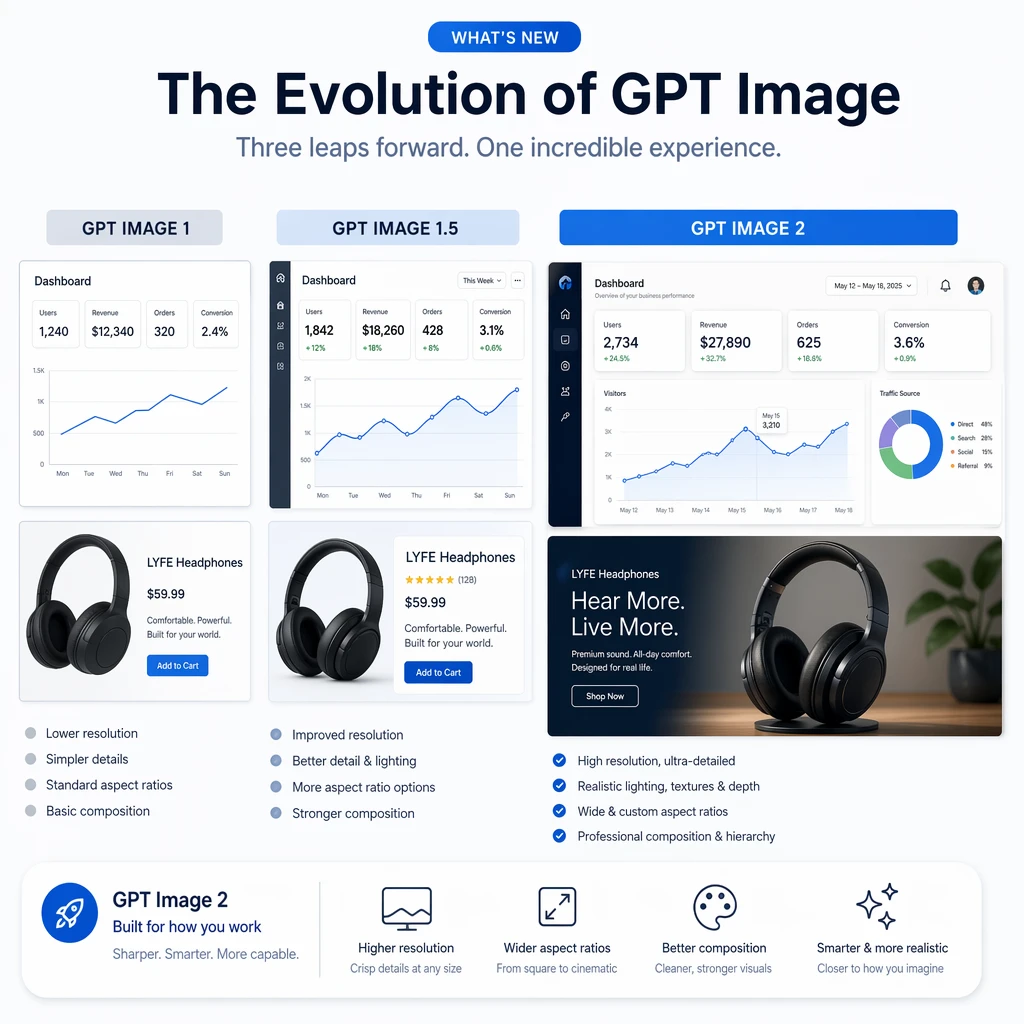
GPT Image 1.5 already lifted output quality and speed over GPT Image 1, and it added smarter edits. OpenAI’s model docs explain that gpt-image-1.5 is engineered for much faster generation and highly precise, region-aware editing, but it runs within a small set of fixed aspect ratios and capped resolutions.[5][6][7] In many workflows, that was enough for social posts, concept art, or simple product shots, especially when paired with structured AI implementation services that keep prompts and brand guidelines consistent.
“GPT Image 2 pushes the ceiling higher.[8] It supports flexible resolutions with a maximum edge of up to around 4000 pixels and roughly 4K-class total detail (with native 2K renders and optional 4K upscaling through the API), and it handles a broader range of aspect ratios from about 3:1 to 1:3, so you can move from vertical Reels frames to slide-friendly 16:9 with far less prompt wrangling.[2][3]” Reviews that have benchmarked the model report GPT Image 2 as the default “state-of-the-art” option, with sharper detail, more stable compositions, and stronger control over style – a pattern echoed in breakdowns like the GPT Image 2 complete breakdown, which emphasise quality jumps over earlier releases. When you ask for a SaaS dashboard mockup with specific chart types, palettes, and copy blocks, you get something much closer to what a human designer would produce on the first draft.
Instruction-following is also tighter. GPT Image 1.5 sometimes blurred the edges of long prompts: extra icons vanished, or layout rules were bent. GPT Image 2’s integrated reasoning makes it much better at honoring constraints like “three equal columns,” “logo in the top-left,” or “two-line call-to-action in bold at the bottom.” That reliability is what turns it from a toy into a tool for agencies and product teams that need repeatable outputs for clients or stakeholders – particularly when those teams are already using machine learning and predictive models to drive targeting and measurement.
Reasoning-aware Images, Text Rendering, and Layout Control
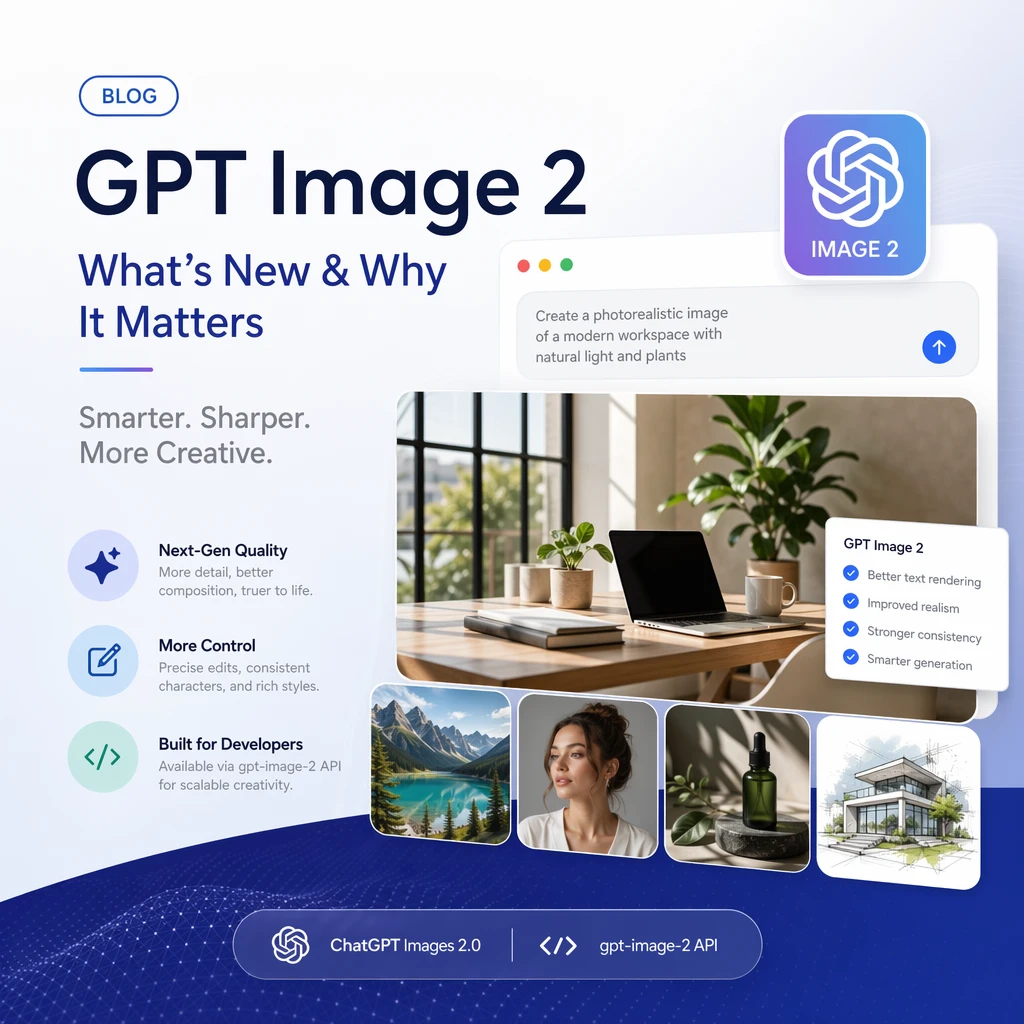
The most striking change in GPT Image 2 is not just prettier pictures. It is that the model can reason about your request before it draws. Several technical write-ups and system cards describe ChatGPT Images 2.0 as combining a reasoning LLM with an image decoder, so the model plans what to show instead of only matching visual patterns from keywords – a design direction that aligns closely with OpenAI’s broader GPT 5.5 architecture and roadmap.
Say you ask: “Create an infographic for Melbourne small businesses on how to spot AI-generated images, using three clear steps and icons that match each step.” GPT Image 2 can internally break that down into: identify the three key steps, decide what icons best express them, choose a color palette, and then design a balanced layout. It is not just drawing; it is making design decisions aligned with your intent. Australian regulators and policymakers are actively reviewing how AI is used and disclosed, with ongoing consultations and guidance that push organisations toward clearer labelling of AI-generated imagery and stronger privacy safeguards, even though formal, uniform rules are still emerging. That means local teams need visuals that actually match legal and comms guidelines, not vibes-based art. A reasoning-aware model helps here, because you can fold those rules into the prompt: mention disclosure badges, no real-person likenesses without consent, and safe iconography, and the model will try to respect that frame while it composes the image. When this is wired into a modern AI customer support stack, those compliant visuals can flow straight into help centres, chatbots, and email responses without constant manual rework.
For real-world business assets, text is often the breaking point. GPT Image 1 handled words better than early diffusion models, but signs still warped, letters flipped, and logos came out crooked. GPT Image 1.5 pushed accuracy further, reaching very strong performance for English text at typical social sizes, according to independent reviews and early GPT Image 2 prompt guides and use case reviews. GPT Image 2 is built to make those text issues far less common. VentureBeat’s deep dive on ChatGPT Images 2.0 highlights multilingual text, full infographics, slide decks, and even manga-level speech bubbles working “seemingly flawlessly.” The model can now place clear titles, labels, and annotations directly into your generated images, across multiple major scripts, with a high success rate.
Because layout control is also stronger, you can be explicit about where that text belongs. Instructions such as “left column – feature list, right column – pricing table, footer – disclaimer in small text” are now far more likely to render correctly. This shifts how you brief images: less trial-and-error with prompt phrasing, more straight description of the layout you actually want, especially when an Australian AI partner helps you turn recurring brand templates into reusable prompt patterns.
How GPT Image Stacks Up in Australian Workflows
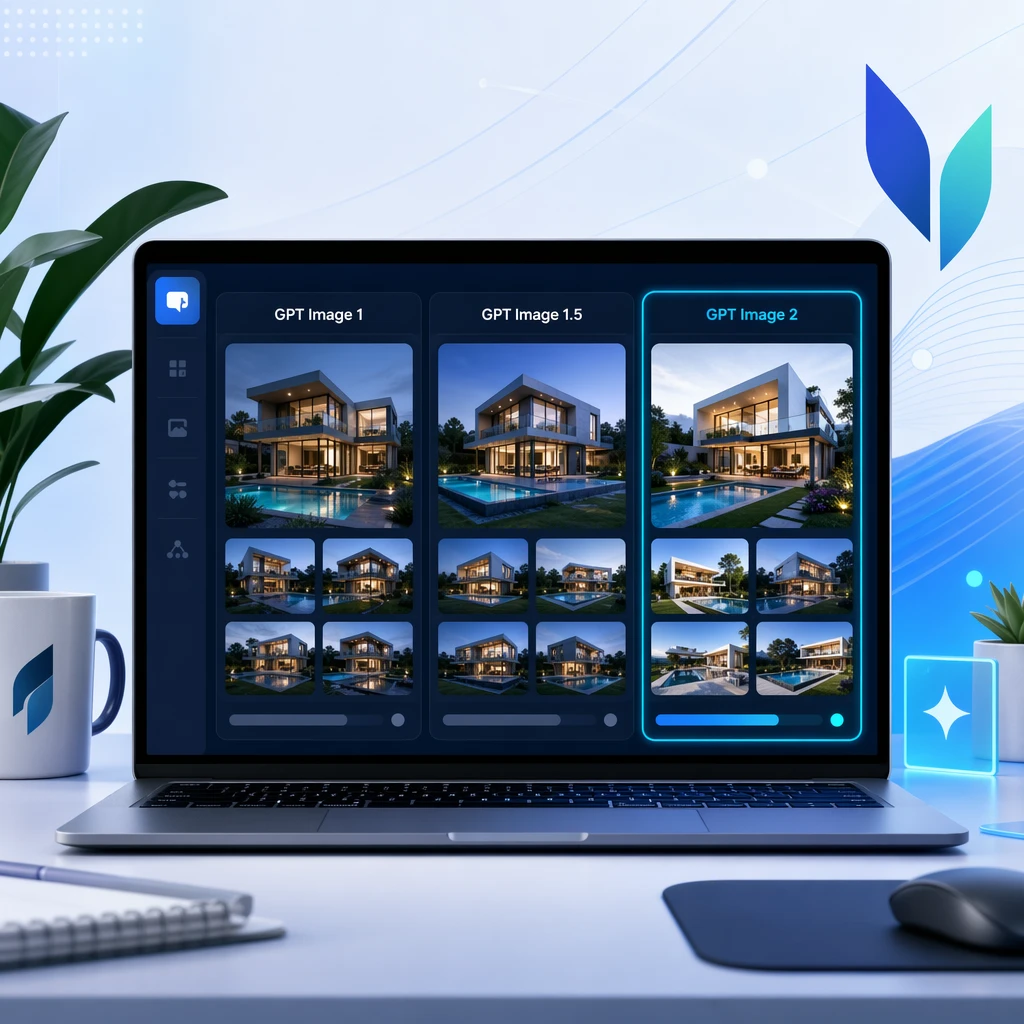
Before GPT Image, OpenAI’s main image model line was DALL·E. DALL·E 3, especially when integrated into ChatGPT, was known for sharp instruction-following and much better text than DALL·E 2, but it still behaved like a separate tool. You would send a prompt, get four choices, and refine them in a side workflow. GPT Image 1 changed that by embedding image generation directly into GPT-4o, removing the need for a separate DALL·E call. GPT Image 1.5 then raised speed and editing intelligence.
GPT Image 2 goes further: it is positioned, in OpenAI docs and partner launches, as a native, next-generation model that can keep up with modern competitors on realism while pulling ahead on text accuracy and prompt awareness. Benchmarks like Image Arena report extremely high win rates for GPT Image 2 in blind comparisons, showing that users consistently prefer its outputs against other models, a picture that lines up with early access tests summarised in resources such as What is GPT Image 2? Everything You Need to Know About ChatGPT Images 2.0.
For Australian teams choosing between tools, the key difference is this: many stand-alone generators excel at single, beautiful frames, but GPT Image 2 is tuned for integrated workflows. You can design a slide, revise the copy in ChatGPT, then regenerate only what changed. You can ask for alt versions specific to Sydney, Brisbane, or Perth, with local landmarks and suitable weather, all inside one conversation. That tighter loop is where it earns its place in a production stack, particularly when orchestrated by a central AI profile that remembers your brand rules and a secure deployment path that satisfies internal governance.
Practical Use Cases for Australian Businesses
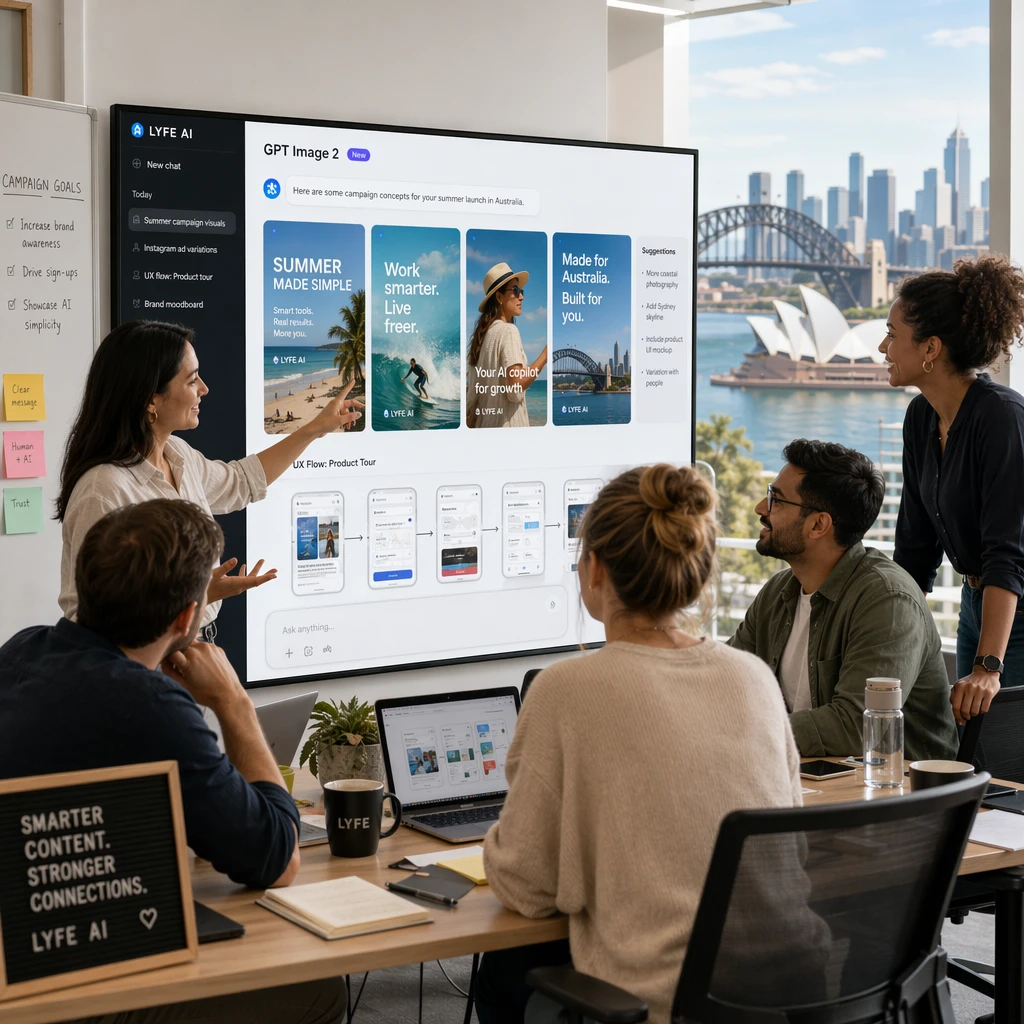
The immediate question is blunt: what can GPT Image 2 actually do for you tomorrow morning? The answer depends on your role, but a few patterns show up again and again in case studies and early reviews – and they map neatly onto the kind of specialist guidance Australian organisations often look for when rolling out new AI tooling.
For marketing teams, GPT Image 2 can handle end-to-end asset creation for campaigns. You can brief it for A/B test variants (different hero images, offer frames, or background styles) while keeping brand colors and tone consistent. Because text rendering is strong, you can push more copy into the image itself instead of relying on clunky overlays later. For SaaS and product teams, the model can sketch UI states, onboarding flows, and data visualisation concepts that your designers can then refine in Figma, especially when supported by structured AI enablement courses that demystify prompt engineering for non-technical staff.
Government and education in Australia are also experimenting with generative AI, but with strict privacy and safety rules. Guidance from the OAIC and the eSafety Commissioner focuses on the responsible use of generative AI, with an emphasis on protecting personal information,[9] managing online harms,[10] and being transparent about when and how AI-generated content is used and labeled.[11] GPT Image 2 fits this pattern by staying as a tool you control through the API or ChatGPT, not a public social feed. You can design internal training diagrams, public-facing infographics, or citizen guides on complex topics like cyber safety or climate programs, while following the national push for transparent AI use – and wrapping all of that inside a secure, Australian-hosted assistant framework that keeps sensitive prompts and outputs under tighter control.
[5] wikipedia.org [6] mindstudio.ai [7] openai.com
Conclusion: Choosing Between GPT Image 1, 1.5, and 2
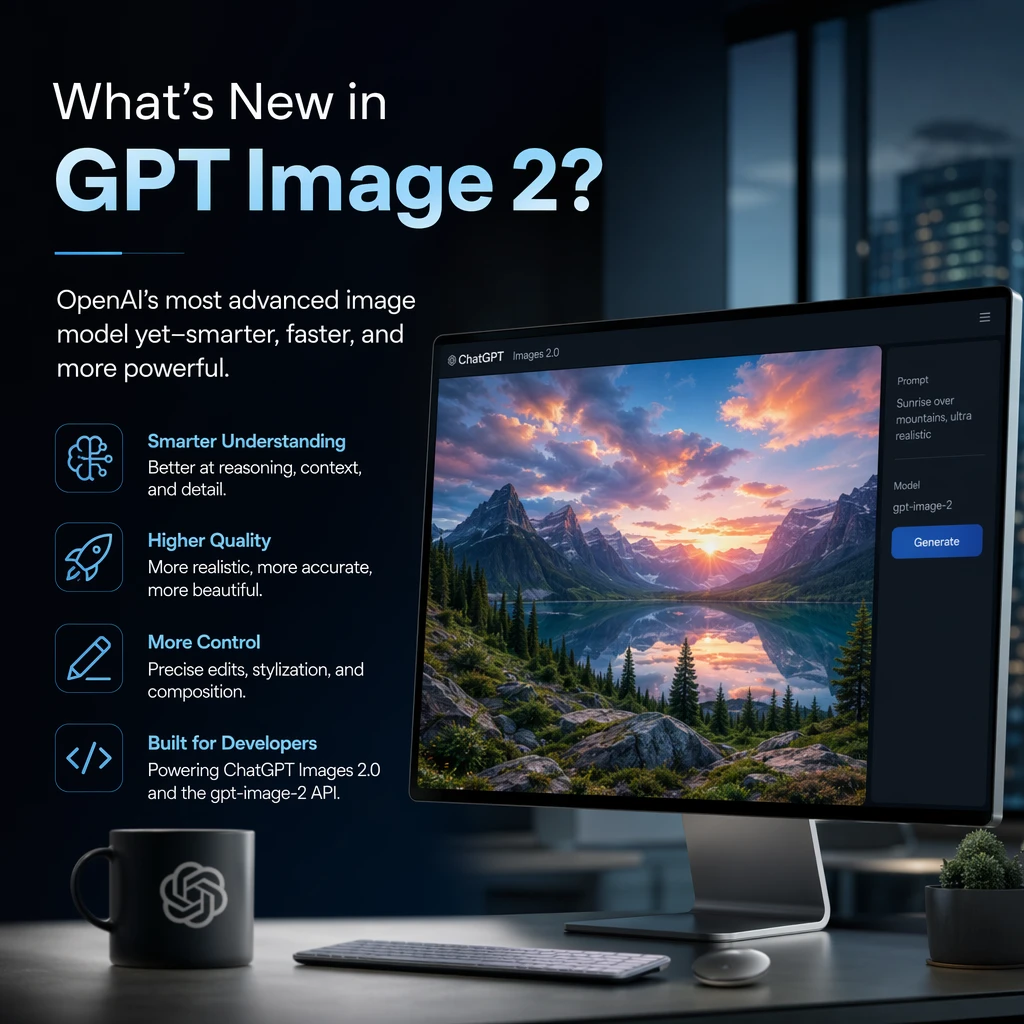
GPT Image 1 introduced native image generation inside GPT-4o. GPT Image 1.5 made that pipeline faster, cheaper, and more precise, especially for edits. GPT Image 2 turns the whole stack into a reasoning-first design partner with far better text, higher resolutions, and tighter layout control – a trajectory that lines up with OpenAI’s own model documentation for GPT Image 2 and its positioning alongside other cutting-edge capabilities.
If you mainly need quick concept art or occasional simple images, GPT Image 1.5 is still a capable workhorse. But if your team in Australia is shipping infographics, slide decks, product mockups, or multilingual content at scale, GPT Image 2 is the sensible default. It reduces prompt thrash, cuts iteration time, and produces assets that are much closer to “drop into the deck” on the first try – especially when it is embedded in a broader AI services strategy that covers governance, monitoring, and everyday usage patterns across your organisation.
[5] einpresswire.com [10] fal.ai [11] pixverse.ai [1] Guidance on privacy and the use of commercially available AI products | OAIC [2] Guidance on privacy and developing and training generative AI models | OAIC [3] Artificial intelligence (AI) transparency statement | eSafety Commissioner
Frequently Asked Questions
What is GPT Image 2 and how is it different from earlier GPT image models?
GPT Image 2 is OpenAI’s latest image generation model that powers ChatGPT Images 2.0 and the gpt-image-2 API. Unlike earlier GPT image models that mainly converted short prompts into pictures, GPT Image 2 adds a reasoning stage that plans layouts, elements, and structure before rendering, so it behaves more like a smart designer than a simple image generator.
What’s new in GPT Image 2 compared to GPT Image 1.5 and GPT Image 1?
GPT Image 2 introduces an O‑series planning stage that breaks your request into parts and decides how they fit together before generating the image. This allows it to handle multi-step instructions, complex layouts, diagrams, and UX flows much more reliably than GPT Image 1.5 and GPT Image 1, which were focused more on speed and visual quality than deep task understanding.
How does GPT Image 2 compare to GPT Image 1.5 for marketing and design work?
GPT Image 1.5 improved speed and quality over GPT Image 1 but is constrained by fixed aspect ratios and capped resolutions, making it better for straightforward social posts or simple product shots. GPT Image 2 is better suited to professional marketing and design workflows because it can reason about campaigns, layouts, and visual hierarchy, and generate more on-brief visuals from a single, detailed prompt.
What does it mean that GPT Image 2 “thinks before it draws”?
“Thinks before it draws” refers to GPT Image 2’s internal planning stage, where it uses a large language model (O-series) to interpret your instructions and design a high-level plan before the diffusion model renders the image. This planning allows the model to follow complex specs like multi-panel diagrams, UX flows, or charts with labels far more accurately than earlier image models.
Can GPT Image 2 handle complex prompts like charts, dashboards, and UX flows?
Yes, GPT Image 2 is specifically designed to handle complex, multi-step prompts such as charts, dashboards, wireframes, and UX flows. It can decompose your request, reason about the structure, and then generate layouts that align with your functional goals, making it more reliable than GPT Image 1.5 or GPT Image 1 for sophisticated design tasks.
How does GPT Image 2 compare to Midjourney and DALL·E for professional work?
Industry reviews note that GPT Image 2’s main advantage versus tools like Midjourney and older DALL·E models is its reasoning-plus-rendering combo. While visual style quality is competitive, GPT Image 2 stands out for tasks where accuracy to instructions, layout logic, and business context (like pitch decks or product diagrams) matter more than purely artistic output.
What are the limitations of GPT Image 1.5 that GPT Image 2 improves on?
GPT Image 1.5 focuses on faster generation and precise, region-aware editing but is limited to a small set of fixed aspect ratios and capped resolutions. GPT Image 2 improves adherence to complex instructions, contextual understanding, and layout planning, making it a better fit when you need images that match specific business or UX requirements rather than just quick visuals.
How can Australian businesses use GPT Image 2 safely with LYFE AI?
Australian businesses can use GPT Image 2 through LYFE AI’s secure Australian AI assistant, which orchestrates prompts, reviews, and approvals across the whole workflow. LYFE AI helps teams integrate GPT Image 2 into their existing processes, apply governance and permissions, and ensure that image generation aligns with brand, compliance, and data security requirements.
What is the gpt-image-2 API and how does it fit into a production workflow?
The gpt-image-2 API is OpenAI’s developer interface for accessing GPT Image 2 programmatically in apps, tools, and internal systems. In a production workflow, agencies and in-house teams can connect this API to LYFE AI’s orchestration layer to automate prompt generation, approvals, and versioning for campaigns, prototypes, and pitch decks at scale.
How can LYFE AI help my team implement GPT Image 2 in our marketing stack?
LYFE AI offers AI implementation services that wrap GPT Image 2 in secure, Australian-hosted workflows tailored to your stack and processes. They help you design prompt libraries, integrate with existing tools (like DAMs, CRMs, and project management platforms), and set up review and approval pipelines so creative, product, and marketing teams can use GPT Image 2 efficiently and safely.